Master the UK Immigration ID Check: 2026 Fixes for App Errors
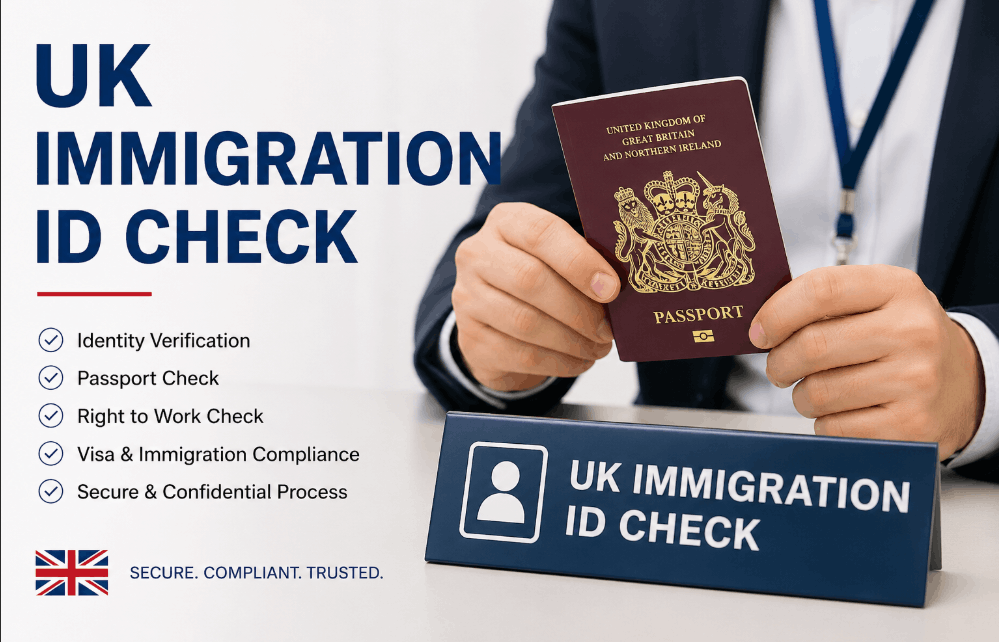
The UK immigration ID check is a mandatory digital process used by the Home Office to verify an applicant’s identity via the official UK Immigration: ID Check smartphone app.
By scanning a biometric document and performing a facial liveness check, applicants confirm their identity remotely to secure an eVisa, replacing the need for physical biometric residence permits (BRPs) and in-person appointments.
This digital route is now the standard for those applying for the Innovator Founder visa or other high-value entrepreneurial paths.
This verification forms the digital foundation of your stay, ensuring your status is correctly recorded in the Home Office’s cloud-based system from day one.
What is the UK immigration ID check and how does it work?
The UK immigration ID check is the primary method for establishing a digital identity within the UK Visas and Immigration (UKVI) system as of 2026.
The app uses Near Field Communication (NFC) to access the encrypted chip in your document, cross-referencing that data with a real-time face scan to confirm you are the rightful holder.
The transition to a digital-only border means that nearly all new visa applications and renewals now require this verification to generate a UKVI account.
For instance, individuals renewing a skilled worker visa UK must use the app to maintain their right-to-work status. Failure to complete this step accurately can lead to significant application delays.
Failure to complete this step accurately can lead to significant application delays or a mandatory requirement to attend a physical UKVCAS center, which often carries additional service fees and longer processing timelines.

Which department is responsible for the UK immigration ID check?
The Home Office is the central government department responsible for the UK immigration ID check, specifically overseen by UK Visas and Immigration (UKVI).
While the physical app is maintained by the Government Digital Service (GDS), the legal verification of your identity and the subsequent granting of visa status are handled exclusively by UKVI caseworkers.
During the check, your biometric data travels through encrypted channels directly to Home Office servers.
The 2026 version of the app relies heavily on liveness detection, a security feature managed by the Digital Identity Unit to block fraudulent attempts using photos or deepfakes.
What is the current UK immigration policy and legal framework?
The legal foundation for the UK immigration ID check is rooted in the Immigration Rules (HC 1691) and the Sentencing Act 2026.
These policies reflect a Digital by Default strategy, where physical documents like Biometric Residence Permits (BRPs) have been legally retired in favour of eVisas.
Under current law, maintaining a valid digital status is the only way to prove your Right to Work or Right to Rent in the UK.
Mandatory Compliance and the 2026 Digital Transition
- Mandatory Digital Transition: As of early 2026, physical BRPs are no longer issued; your identity must be anchored to a UKVI account via the ID check app.
- The 18-Month Rule: Per the latest Home Office guidance, you can still use an expired BRP for the ID check app, provided it expired no more than 18 months prior to your application date.
- Sentencing Act 2026 Compliance: The app acts as a frontline screening tool to ensure applicants meet the Good Character requirement.

What documents are required for a legal UK immigration application?
To pass the digital check, you need specific biometric documents. This is mandatory whether you are confirming global talent visa UK requirements or applying for a standard family permit.
The system is designed to verify high-security documents that contain an ICAO-compliant chip. Without these, you cannot use the digital route and must book a physical appointment.
| Document Type | Requirement for App Use | 2026 Status |
| Biometric Passport | Must have the ICAO gold camera symbol on the cover. | Mandatory for most international applicants. |
| BRP (Biometric Residence Permit) | Can be current or expired (within 18 months). | Being phased out for eVisas. |
| Connection Code | A unique alphanumeric code generated on GOV.UK. | Required to link the web application to the app. |
| Smartphone | NFC-enabled (iPhone 8+ or Android 10+). | Essential hardware for the chip scan. |
How to do the UK immigration ID check successfully?
Completing the UK immigration ID check requires a precise sequence of technical steps. Most failures occur due to environmental factors or incorrect device placement rather than document issues.
Official 2026 Verification Sequence:
- Generate your link: Start your application on the GOV.UK website and select the option to confirm your identity using the app.
- Download the app: Install UK Immigration: ID Check from the Apple App Store or Google Play Store.
- Scan the QR Code: Use the app to scan the code on your computer screen to sync your application data.
- Capture the document: Photograph the photo page of your passport or the front and back of your BRP in clear, natural light.
- Scan the chip: Place the top of your phone directly on the document and hold it still until the progress bar reaches 100%.
- Perform the face scan: Follow the on-screen prompts to move your phone closer or further away until the liveness check is complete.
- Finalise on web: Once the app shows Identity Proven, return to the GOV.UK browser window to submit the rest of your visa form.
Why is my UK immigration ID check app not working?
Technical glitches are the most significant pain point for applicants. Below are the specific solutions for the 2026 version of the app to resolve the most common No Chip Found and Sync Error issues.
Solving NFC Connection Issues: The Document Placement Secret
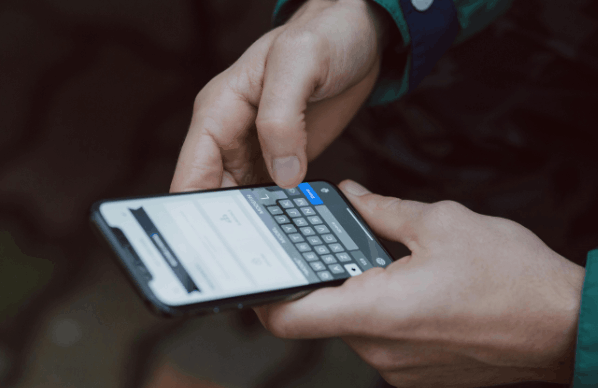
For users of flagship devices like the iPhone 17 or Samsung S26, the NFC antenna is located very close to the camera array.
When scanning, do not place the document in the center of the phone. Instead, place the document at the very top edge and leave a pinky-finger-sized gap between the document and the camera lens.
This alignment often triggers the chip instantly, where a flat placement fails.
Fixing Common 2026 App Errors and Sync Failures
- The Check Now Grey-out: If the Check Now button is unclickable, ensure you have removed all phone cases. Metallic or MagSafe cases interfere with the 2026 security handshake.
- Application Not Found: This sync bug occurs when the browser session times out. Close the app, refresh your GOV.UK browser page, and generate a new connection code.
- Glare Rejection: High-intensity LED overhead lights create hot spots on your face. Move to a position with indirect natural light to pass the liveness check.
What if I fail the UK immigration ID check?
If the UK immigration ID check fails, it is important to distinguish between a technical failure and a legal rejection. A technical failure does not negatively impact your visa decision, but it does change your processing route.
- The 24-Hour Lockout: If you fail the chip scan three times, the app will lock your application for 24 hours. Wait for the full duration before attempting again to avoid a permanent lockout.
- The Physical Fallback: If you cannot pass the digital check after multiple attempts, you must select the I cannot use the app option on GOV.UK.
- You will be redirected to book an appointment at a UKVCAS (UK Visa and Citizenship Application Services) centre, which often results in higher overall costs.
- While the app is free, these physical appointments are subject to the same upward trend seen with the UK Passport application fees increase, making the digital route the most cost-effective option.
- Identity Mismatch: If the app confirms your identity but the Home Office later finds a mismatch with existing records, you will receive an Intent to Refuse notification. If this occurs, you may need to consult an immigration specialist to resolve data discrepancies before your application is refused.
What is the punishment for illegal immigration in the UK?
Following the correct ID check procedure is a legal necessity under current enforcement rules. Illegal immigration is no longer viewed as a minor administrative breach but as a serious criminal offence.
- For Individuals: Illegal entry or overstaying can result in a prison sentence of up to 12 months and a mandatory deportation order. Furthermore, Identity Spoofing (attempting to use someone else’s document on the app) is prosecuted under the Fraud Act, leading to a permanent ban from the UK.
- For SME Employers: Businesses found employing workers without a verified digital status face Triple Fines in 2026, reaching up to £60,000 per illegal worker.
- Impact on Future Applications: Any history of illegal stay or rejected identity verification is recorded in the Home Office Digital File, making future visa approvals nearly impossible.
To mitigate these risks, any firm on the list of companies that can sponsor visa in UK should implement a strict internal policy for auditing employee digital status.
Summary and Next Steps
The digital ID check is now the central pillar of the UK’s border strategy. To ensure success, you must use a compatible smartphone, remove all protective cases, and ensure your document’s biometric chip is correctly aligned with your phone’s NFC reader.
Remember that a failure in the app does not mean a visa rejection; it simply requires a shift to a physical appointment. Before starting your application, check your document’s expiry date and find a space with indirect natural light to ensure a smooth verification process.
FAQ about UK immigration ID check
Can I use someone else’s phone for the check?
Yes. The app does not store any data on the device after the process is finished. You can use a friend’s or employer’s phone as long as it has NFC capabilities and a working camera.
What if my BRP has expired?
You can use an expired BRP for the ID check if it expired within the last 18 months. If it is older than 18 months, you must use a valid biometric passport instead.
Does the app store my facial biometric data?
No. The app acts only as a secure conduit. Once the verification is successful and you close the application, all biometric data is purged from the local handset.
What is the Check Now button for?
This button initiates the NFC reader. You should only press it once your document is flat on a table and your phone is positioned correctly on top of it.
How long does the digital verification take?
The app process usually takes 5–10 minutes. However, it can take up to 48 hours for the Identity Proven status to sync with your main UKVI application dashboard.
Do children under 10 need a face scan?
No. Under 2026 guidance, children under the age of 10 are exempt from the facial liveness check but must still have their biometric document chip scanned.
Can I use a 5G connection for the upload?
Yes, but a stable Wi-Fi connection is preferred. If the 5G signal drops during the data transmission phase, the app may return a Data Upload Failure error.