HMRC Agent Services Account: Registration & Login Guide
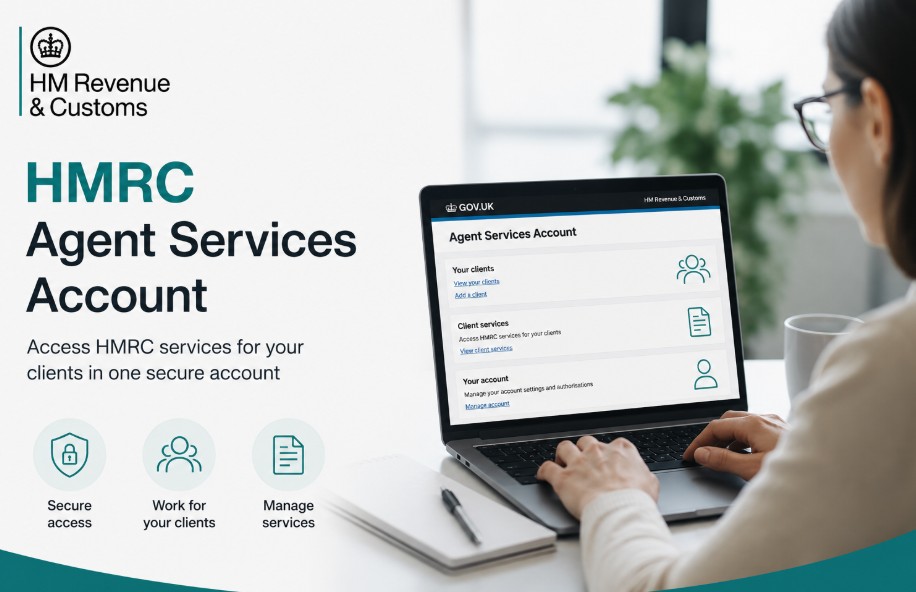
An HMRC Agent Services account is the official digital portal that registered UK tax professionals must use to manage client tax compliance. It serves as the primary secure gateway for executing Making Tax Digital (MTD) protocols, registering new businesses, and administering complex tax regimes on behalf of your clients.
Key Fact
- The Agent Services Account (ASA) is the mandatory, unified portal replacing legacy systems with a single corporate identity.
- All paid tax agents must register under the phased 2026 rollout (May–December) within a strict three-month window.
- Existing ASA holders do not need to re-register. New agents must apply on GOV.UK to avoid penalties.
What is an HMRC agent services account?
An HMRC Agent Services account (ASA) is a centralised administrative platform that allows tax professionals to establish a single, verified corporate identity with HMRC. It replaces legacy, fragmented systems with an API-driven environment designed for MTD and unified client management.
The ASA is the foundation of your digital practice. Unlike older systems that relied on multiple User IDs, the ASA is tied to your firm’s Unique Taxpayer Reference (UTR) and provides a unified corporate login.
It is built to support high-security, API-based communication between your accounting software and HMRC.
Legacy Services vs. Modern ASA
| Feature / Protocol | Legacy HMRC Online Services for Agents (AOSA) | Modern HMRC agent services account (ASA) |
| Primary System Purpose | Traditional, form-based manual data entry via browser portals. | API-driven software integration and unified control. |
| Making Tax Digital (MTD) | Incompatible with direct digital record-keeping API transfers. | Fully mandatory for MTD for VAT and MTD for Income Tax. |
| Credential Architecture | Multiple 12-digit User IDs across branches or different taxes. | A singular, unified corporate login representing the entire firm. |
| Client Visibility Model | Comprehensive internal scrollable client listing tables within the portal. | No explicit client lists displayed natively due to strict data security. |
| Authorisation Mechanics | Relying heavily on manual paper 64-8 forms sent via post. | Executed via cloud-based links called the Digital Handshake. |

Who Needs an Agent Services Account?
Any professional accountant, bookkeeper, or tax adviser who manages client tax affairs for a fee and interacts with HMRC must hold an ASA. As of 2026, it is a mandatory legal requirement for all tax intermediaries to ensure full compliance with updated statutory mandates.
An ASA is mandatory for any professional who interacts with HMRC regarding a client’s tax affairs in a professional capacity and receives payment for it.
You specifically need an ASA if you:
- Manage clients under Making Tax Digital (MTD) for VAT or Income Tax.
- Register or manage trusts via the Trust Registration Service (TRS).
- Handle Capital Gains Tax for UK property or access the Income Record Viewer.
- Provide professional tax services for a fee.
Note: The account must be set up by a director, owner, or lead partner of the firm.
Key Features and Benefits
The ASA provides a secure, scalable, and centralized environment that replaces multiple Government Gateway IDs with a single Agent Reference Number (ARN), streamlining your practice’s administrative overhead.
- Centralized Management: Consolidates client data and tax services into one portal, replacing the need for multiple Government Gateway IDs.
- Enhanced Security: Employs multi-factor authentication (MFA) to protect sensitive client financial data.
- API Integration: Facilitates direct, secure communication between your chosen accounting software and HMRC, reducing manual data entry errors.
- Unified Authorization: Uses a Digital Handshake process, allowing agents to request and receive client authorization digitally without paper forms.
- Scalability: Allows firms to add new services and clients as their practice grows, all linked to a single firm-wide reference number (the Agent Reference Number, or ARN).
How do you get an HMRC agent services account?
To get an ASA, you must submit a digital application via the official government portal, confirming your corporate legitimacy and Money Laundering Supervision (AML) details.
Approval is generally instant, but manual checks for some firms can take up to 28 days.
Firms must carefully complete a mandatory linear configuration sequence to ensure successful processing:
- Log into the official setup portal using your existing business credentials.
- Provide your firm’s unique corporate tax reference details.
- Input the exact billing postcode linked to your primary registration account.
- Supply your legal business entity classification along with active regulatory oversight data.
- Nominate a senior compliance officer to serve as the master administrator for account security.
- Complete the formal identification verification check using official corporate documentation.
- Record the newly generated, permanent corporate credentials and unique firm references.
What is an HMRC agent ID and Agent Reference Number?
The Agent Reference Number (ARN) is your firm’s permanent, unique identifier for all digital tax interactions. Unlike legacy agent codes, the ARN is linked to your corporate entity and is required to configure third-party software and verify your practice identity.
You can locate your ARN by logging into your Agent Services Account; it is typically displayed on your home dashboard.

How to log in to HMRC agent services account safely?
To log in safely, navigate only to the official gov.uk domain. Always use your designated Agent Services Account Government Gateway credentials and ensure Multi-Factor Authentication (MFA) is active to prevent unauthorized access.
Avoid sharing master login credentials. Instead, create individual user permissions within the portal for your staff to maintain a clear audit trail.
- Navigate to the Official Portal: Always start your session by typing [https://www.gov.uk/] directly into your browser or by using a saved, verified bookmark. Never click on links in unsolicited emails or SMS messages that claim to be from HMRC.
- Access the Agent Service: Search for Agent Services Account on the GOV.UK website. Select the page titled Sign in to your HMRC agent services account.
- Enter Credentials: Use your firm’s unique Government Gateway User ID and password. Ensure that you are using the specific credentials tied to your firm’s Agent Services Account, not your personal or legacy agent credentials.
- Complete Multi-Factor Authentication (MFA): Once your password is submitted, you will be prompted for an MFA code. Use your registered mobile device or authenticator app to enter the code.
- Security Tip: If you are not receiving the code, check your device’s connection before attempting to generate a new request to avoid locking your account.
- Verify the Dashboard: Once logged in, verify you are viewing your firm’s dashboard. Your Agent Reference Number (ARN) should be visible, confirming you are in the correct, unified account.
What is HMRC agent authorisation?
HMRC agent authorisation via the Digital Handshake is a secure, paperless process where you generate an invitation link within your ASA and send it to your client. The client logs into their own account to digitally approve the relationship, creating an instant, compliant link.
This process replaces traditional paper 64-8 forms. The link is time-limited (usually expiring after 21 days), ensuring security.
Can an agent register a client for VAT using the account?
Yes, authorized firms can manage new client registrations for Value Added Tax directly through the portal infrastructure.
However, the agent must collect signed onboarding declarations detailing business bank accounts, projected taxable turnover thresholds, and accurate cross-border trade metrics before submitting the request to avoid processing flags.
How to remove a client from HMRC agent services account?
To remove a client, log into your master dashboard, navigate to your client list, select the specific entity, and choose Cancel Authorisation. This immediately terminates the digital connection and removes your access to their records.
Important: Always download and archive your clients’ submitted data before removing them, as you will lose access once the relationship is severed.
How the ASA Supports Making Tax Digital (MTD)?
The ASA is the foundational infrastructure for MTD, enabling agents to sign clients up for digital reporting, manage quarterly VAT and Income Tax updates, and file final declarations directly from API-compatible software.
Without an active ASA, you cannot perform the necessary MTD submissions required by 2026 standards.
- MTD for VAT: You can sign up clients for MTD, track VAT returns, and submit digital reports directly from API-compatible software.
- MTD for Income Tax: The ASA allows agents to register clients for the MTD pilot, manage quarterly updates, and submit final tax returns.
- Flexible Access: It supports role-based management, allowing a main agent to handle full filings while supporting agents can focus on specific digital records and updates.

What to do when the HMRC agent services account is unavailable?
When the platform shows error codes or is marked as HMRC agent services account unavailable, operations can stall. Understanding whether an error stems from a local internet issue, a software authentication failure, or a broader system outage helps keep your practice running smoothly.
| Local Software Error Code | System Status Indicator | Immediate Remediation Action |
| 403 Forbidden Response | API Token Expiry or Mismatched Credentials. | Re-authenticate production software using primary credentials. |
| 404 Record Not Found | Unlinked Client or Incomplete Migration. | Verify the client migration history or re-issue a digital handshake invitation. |
| 503 Service Timeout | Complete Central Node Server Outage | Cease automated requests and check the live availability dashboard. |
How to contact the HMRC agent services account helpline?
If digital troubleshooting fails, contact the Agent Dedicated Line at 0300 200 3300 or use the secure webchat service found within your ASA dashboard for faster resolutions regarding registration or technical errors.
- International Practitioner Access: +44 135 535 9022
- Textphone Services: 0300 200 3319
Alternative ways to contact HMRC Agent Services, account teams
For less urgent technical issues, such as clarifying address mismatches from older system records, using the secure webchat service within your dashboard is often faster than waiting on phone lines.
Webchat agents can securely reset stuck registration steps and provide written confirmation logs for your practice compliance records.
Summary
Managing your practice infrastructure requires regular maintenance to stay fully compliant. Ensure your firm’s master contact details are kept up to date, schedule tracking for software API token expirations, and log verification details clearly to ensure smooth, uninterrupted service for your clients.
FAQ
Can I run multiple firms through a single HMRC online agent services account?
No, an account is built to represent a single unique business entity. If you operate distinct corporate practices with separate unique references, each distinct firm requires its own independent registration.
How long does it take for HMRC to approve a HMRC Create Agent Services account application?
Standard online validation is typically instant, but if your application requires manual AML verification or extra security checks, processing can take up to 28 days.
What security credentials are required for the HMRC new agent services account login?
Access requires a 12-digit User ID, an administrative password, and a mandatory multi-factor authentication code sent to a verified mobile device or an authentication app.
How many staff users can be added to an individual practice account?
The platform allows master administrators to configure up to several hundred individual staff user accounts, each with customizable access permissions based on their role in the firm.
Can an overseas tax firm register for an active UK account?
Yes, but overseas firms without a UK business address follow a manual verification process that requires submitting certified proof of local tax compliance and regional regulatory oversight.
What happens if our firm’s professional AML supervision switches to a new provider?
You must update your practice details within the portal’s account management settings immediately to keep the database accurate and prevent automated account suspensions.
Can I submit historical non-MTD VAT returns through the main dashboard?
No, old legacy filings must be completed using older online systems, as the modern platform is built for digital API transmissions.