Complete UK Tax Code Checker Guide: Verify 1257L, Emergency Codes
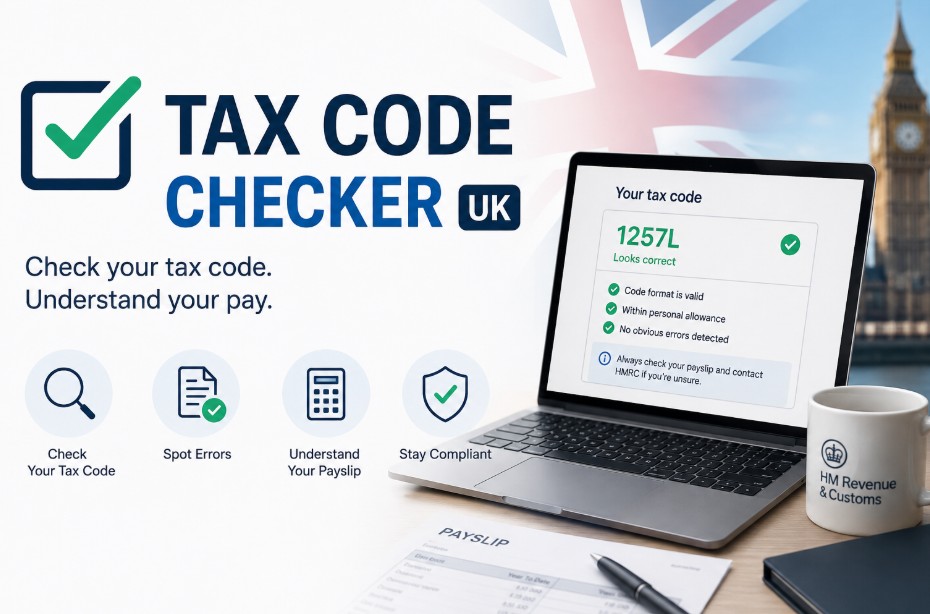
A tax code checker allows UK taxpayers under Pay As You Earn (PAYE) to verify whether HM Revenue & Customs (HMRC) is applying the correct tax-free allowance to their earnings.
The standard UK tax code for 2026/2027 is 1257L, giving you a tax-free Personal Allowance of £12,570 per year. Checking your code ensures your employer deducts the exact Income Tax due, preventing accidental overpayments or unexpected tax debts.
Key Takeaways
- Your standard UK tax code for 2026/2027 is 1257L which grants a tax-free Personal Allowance of £12,570 spread evenly across the tax year.
- Emergency tax codes such as W1 or M1 apply when HMRC lacks job details causing tax to calculate per pay period without allowances.
- You can check your active tax code instantly using the HMRC App or by reviewing your monthly payslip, P45, or annual P60 summary statement.
- Incorrect tax code deductions can be reclaimed from HMRC up to four tax years back, securing potential refunds directly to your bank.
What is a tax code in the UK?
A tax code is an alphanumeric identifier assigned by HMRC that tells your employer or pension provider how much tax-free income you can earn each tax year under the PAYE system before Income Tax is deducted from your pay.
A tax code is used by payroll systems to calculate your tax-free allowance across pay periods. For most employees in England, Wales, and Northern Ireland with one job, the baseline code is 1257L, representing the £12,570 statutory Personal Allowance.
HMRC updates tax codes automatically using digital feeds from employers and other government databases.
However, because automated systems can miss recent job switches, salary changes, or benefit adjustments, reviewing your code regularly is vital to avoid quiet tax overpayments.
What Is a Tax Code Checker?
A tax code checker is an analytical formula or digital lookup tool used to interpret the letters and numbers in your HMRC tax code, calculating your exact tax-free allowance and identifying potential payroll deduction errors.
Under the PAYE framework, your employer relies on your tax code to calculate exact Income Tax deductions before your salary reaches your bank account.
Using a tax code checker helps you verify whether your tax-free allowance is correctly allocated across your primary job, second job, or occupational pension, ensuring that tax relief is properly applied.
How Does It Work in the UK?
A tax code checker works by parsing the numerical component of your tax code (multiplying it by 10 to reveal your tax-free allowance) and evaluating the letter prefix or suffix to factor in special tax conditions or regional rates.
Why Use a Tax Code Checker?
You should use a tax code checker to confirm that your employer is deducting the correct Income Tax, ensuring you do not overpay tax due to administrative errors or accumulate tax debt on an incorrect coding notice.
Using a tax code checker gives you immediate oversight of your earnings and tax status. Key reasons to check your code include:
- Preventing Overpayments: Ensures you receive your full £12,570 tax-free Personal Allowance.
- Avoiding Unexpected Debt: Identifies underpaid tax early before HMRC issues a tax demand.
- Verifying Job Transitions: Confirms that new job details or P45 details have been processed by your payroll team.
- Tracking Perks & Benefits: Ensures company benefits (like health insurance or company cars) are accurately accounted for.
How does an online tax code checker work?
An online tax code checker processes your alphanumeric code using straightforward HMRC rules: the numbers are multiplied by 10 to reveal your base tax-free allowance, while letter prefixes or suffixes adjust the final total to account for benefits, secondary income, or Marriage Allowance transfers.
When you enter a code like 1257L into a calculator:
- Number Processing: 1257 × 10 = £12,570 tax-free income.
- Letter Analysis: L confirms you are entitled to the standard Personal Allowance.
- Adjustment Factoring: Codes with M or N add or subtract Marriage Allowance amounts, while prefixes like K reverse the calculation to add taxable value for untaxed perks or past debts.
How Can I Check My Tax Code in the UK?
You can check your current UK tax code for free by inspecting line 1 of your regular employer payslip, reviewing your annual P60 or P45 forms, or logging into your official HMRC Personal Tax Account via GOV.UK or the HMRC Mobile App.
Where can I see my tax code on official documents?
Your official UK tax code is printed on every monthly or weekly payslip, your annual P60 end-of-year tax summary, your P45 form provided when leaving a job, and official P2 Coding Notices sent by HMRC.
Look for your tax code in these common places:
- Payslips: Displayed near your National Insurance (NI) number, total gross pay, and net pay figures.
- P60 End-of-Year Certificate: Issued by your employer every May; shows your final code for the preceding tax year.
- P45 Form: Given when you leave an employer; lists your active tax code on Part 1 and Part 1A.
- P2 Coding Notice: A physical letter or digital document sent directly by HMRC explaining how your code was derived.
How to check my tax code on UK GOV online platforms?
To check your tax code online, sign in to your GOV.UK Personal Tax Account or the official HMRC App using your Government Gateway user ID and password, then select Pay As You Earn (PAYE) to view your active code.
Follow this step-by-step digital process:
- Access Portal: Go to GOV.UK or open the HMRC App on iOS/Android.
- Authenticate: Log in using your 12-digit Government Gateway ID and password.
- Navigate to PAYE: Click on the Pay As You Earn (PAYE) section.
- View Current Year Overview: Select Check Income Tax details to inspect your active tax code, current employer, estimated annual income, and itemized deductions.
What is a tax ID number?
The UK does not issue a single document called a Tax ID Number; instead, individual tax identification relies on your National Insurance (NI) number for PAYE employment or a 10-digit Unique Taxpayer Reference (UTR) for Self Assessment.
- National Insurance (NI) Number: Used for primary employment, state benefits, and pension tracking. Found on payslips, P60s, and official HMRC letters.
- Unique Taxpayer Reference (UTR): A 10-digit number assigned to individuals registered for Self Assessment tax returns. Found on tax returns, SA300 statements, or inside your online tax account.
Complete List of Tax Codes
UK tax codes consist of numbers showing your tax-free allowance divided by 10, combined with letter suffixes or prefixes that instruct payroll departments how to apply tax rates under HMRC rules.
What do the numbers in your tax code mean?
The numbers in a standard UK tax code represent your total tax-free Personal Allowance divided by 10. For example, the digits 1257 represent a baseline tax-free allowance of £12,570 per tax year.
To convert your tax code number into your annual tax-free allowance: Tax-Free Allowance = Tax Code digits ×10
(Note: HMRC adds up to £9 of additional allowance within internal calculation tables).
Master Table: Common UK tax codes, prefixes, and suffixes
| Tax Code | Status / Meaning | Tax-Free Allowance Effect |
| 1257L | Standard code for one job/pension | Entitles you to the full £12,570 allowance |
| BR | Basic Rate (20% flat tax) | No tax-free allowance applied (used for second jobs) |
| D0 | Higher Rate (40% flat tax) | No tax-free allowance applied (high secondary income) |
| D1 | Additional Rate (45% flat tax) | No tax-free allowance applied (very high income) |
| K | Taxable benefits exceed allowance | Adds extra tax to earnings to cover untaxed debt |
| M | Marriage Allowance received | Increases allowance by 10% (£1,257 extra tax-free) |
| N | Marriage Allowance transferred | Reduces allowance by 10% (transferred to spouse) |
| 0T | Personal Allowance fully used or missing data | Zero tax-free allowance allocated to this payroll |
| NT | No Tax payable | Income is exempt from UK Income Tax deductions |
Regional prefixes: S and C tax codes explained
Tax codes starting with an S prefix use Scottish Income Tax bands and rates, while codes with a C prefix use Welsh Income Tax rules based on your primary residency address recorded with HMRC.
- S Prefix (e.g., S1257L): Applied if your main home is in Scotland. Your income tax is calculated using Scottish tax bands (Starter, Basic, Intermediate, Higher, Advanced, and Top rates).
- C Prefix (e.g., C1257L): Applied if your main home is in Wales. Tax is calculated using Welsh Income Tax rates set by the Welsh Parliament in conjunction with UK Parliament rates.
Are You on an Emergency Tax Code?
An emergency tax code is a temporary tax indicator applied by employers when HMRC lacks your full payroll history for the current tax year, causing tax to be deducted on a non-cumulative basis per pay period without accounting for earlier tax-free allowances.
How to identify emergency tax codes?
Emergency tax codes are identified by the standard code digits followed by the indicators W1 (Week 1), M1 (Month 1), or X, for example, 1257L W1 or 1257L M1.
When an emergency code is applied, payroll software treats every pay period as if it were the first week or month of the tax year. It does not look back at tax already paid earlier in the year, which can result in temporary over-taxation.
Why do emergency tax codes happen?
Emergency tax codes occur when you start a new job without providing a P45, transition from self-employment to PAYE, take on a second job, or begin your first job without completing an HMRC Starter Checklist.
Common triggers include:
- Missing P45: Starting a new role without handing Part 2 and 3 of your previous P45 to your new payroll team.
- First Employment: Joining the workforce for the first time without submitting a completed Starter Checklist.
- Delayed Processing: Onboarding faster than HMRC can issue an updated P6 or P9 coding notice to your employer.
How to change emergency tax code in the UK and get a refund?
To resolve an emergency tax code, submit your P45 or a completed HMRC Starter Checklist to your employer’s payroll team, or learn how to change your tax code via your GOV.UK Personal Tax Account to trigger an automatic payroll refund.
Follow these sequential steps to resolve an emergency code:
- Locate your official P45 statement from your previous employer showing tax year totals.
- Submit Parts 2 and 3 of your P45 to your new employer’s payroll team immediately.
- Complete the HMRC Starter Checklist if a P45 is completely unavailable.
- Log into your HMRC Personal Tax Account online to confirm job start dates.
- Verify that your employer updates payroll software with the permanent tax code issued by HMRC.
- Receive automatically processed tax refunds through your standard salary payment once the cumulative code updates.
Why Has Your UK Tax Code Changed Unexpectedly?
Your UK tax code changes unexpectedly whenever HMRC receives updated data showing changes in your taxable income, employer benefits, state allowances, or untaxed secondary earnings.
Deductions for Benefit-in-Kind adjustments
Receiving non-cash employment perks (Benefits-in-Kind) reduces your numerical tax code, lowering your tax-free allowance so HMRC can collect tax on perks directly through payroll.
- Company Cars: Vehicle value and carbon emissions alter taxable value.
- Private Medical Insurance: Employer-funded premiums reduce tax-free threshold.
- P11D Expenses: Annual benefit declarations decrease your code number (e.g., down from 1257L to 1000L).
Expired company perks (such as a company car you no longer drive) often remain on coding notices incorrectly. Reviewing your P11D details prevents ongoing tax deductions for benefits you no longer receive.
Multiple jobs, pensions, state benefits, and unpaid tax debts
Holding multiple jobs causes HMRC to assign your full Personal Allowance to your primary income while coding secondary jobs as BR or D0; similarly, state pensions or previous tax debts lower your allowance code to collect unpaid tax.
- Second Jobs & Pensions: Allowance is concentrated on your main job to prevent underpaying tax across multiple revenue streams.
- State Benefits: Taxable state benefits (such as the State Pension) are deducted from your PAYE allowance code.
- Previous Year Debts: If you underpaid tax previously, HMRC lowers your current year tax code to recover the debt gradually from your monthly pay.
How Much Tax Do I Pay in the UK?
In the UK, Income Tax rates are charged in progressive bands: earnings up to £12,570 are tax-free (0%), earnings between £12,571 and £50,270 are taxed at the Basic Rate (20%), earnings between £50,271 and £125,140 at Higher Rate (40%), and earnings above £125,140 at Additional Rate (45%).
The table below outlines current UK Income Tax thresholds applicable to standard earnings.
| Income Band | Taxable Income Threshold | Income Tax Rate |
| Personal Allowance | Up to £12,570 | 0% |
| Basic Rate | £12,571 to £50,270 | 20% |
| Higher Rate | £50,271 to £125,140 | 40% |
| Additional Rate | Over £125,140 | 45% |
(Note: Income Tax bands in Scotland differ slightly due to devolved Scottish tax rates).

How to Contact HMRC Regarding Your Tax Code?
You can contact HMRC to correct a tax code by submitting an online query via the GOV.UK income tax portal or by calling the official Income Tax helpline at 0300 200 3300.
How to make a query to HMRC online or via phone?
Report tax code errors online through the Check or change your tax code tool on GOV.UK, or call 0300 200 3300 with your National Insurance number and PAYE reference ready.
- Online Channel: Log in to GOV.UK, navigate to Check or change your tax code, and upload updated job or benefit information directly.
- Telephone Channel: Call 0300 200 3300 (Textphone: 0300 200 3319; International: +44 135 535 9022). Lines are open Monday to Friday, 8am to 6pm.
Checklist Before Calling HMRC:
- National Insurance (NI) Number
- Employer PAYE Reference (found on your payslip)
- Latest Payslip, P60, or P45 Document
- Details of recent Benefit-in-Kind changes (P11D figures)
Conclusion
Monitoring your tax code ensures you pay the correct amount of tax while keeping your full statutory Personal Allowance.
Check your latest payslip today and log into your online HMRC Personal Tax Account to verify that your benefits and earnings match your official code.
If you discover errors or emergency codes, submit your details promptly to correct your pay and reclaim any overpaid tax.
Disclaimer: This article is for informational purposes only and does not constitute formal tax or legal advice; always verify your details directly with HMRC or a qualified professional.
FAQ
How can I check my tax code in the UK for free?
You can check your tax code for free by logging into your official HMRC Personal Tax Account on GOV.UK, checking the free HMRC App, or inspecting your latest employer payslip.
What is the current UK tax code for a full-time worker?
The standard tax code for a full-time worker with one job is 1257L. This provides a tax-free Personal Allowance of £12,570 for the tax year.
How long does it take HMRC to update my tax code after a change?
HMRC typically processes online tax code updates within 5 to 10 working days. Your employer will then apply the new code on your subsequent scheduled payroll run.
Can I speak to a real person at HMRC about an incorrect tax code?
Yes, you can speak to an HMRC adviser by calling 0300 200 3300. Say tax code when prompted by the automated voice system to reach the correct queue.
How far back can I claim overpaid tax if my tax code was wrong?
Under UK tax rules, you can claim back overpaid tax for up to four previous tax years. Claims must be submitted before the 5th of April deadline for the earliest year.
Can my employer change my tax code manually without HMRC instruction?
No, employers cannot manually alter your tax code. They are legally required to use the code issued directly by HMRC via official P6, P9, or Starter Checklist notifications.