Master HMRC Digital Letters Communication: A Complete Guide To The 2026 Paperless Tax Update
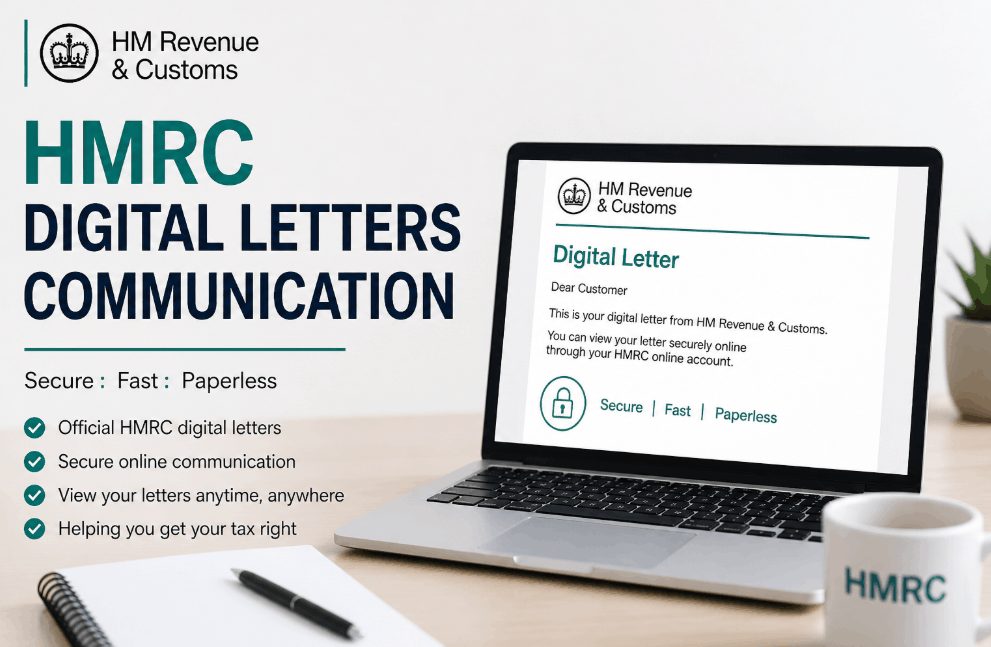
HM Revenue and Customs is fundamentally changing how it contacts taxpayers by moving toward paperless notifications via the Personal Tax Account, Business Tax Account, and the official app. Instead of traditional post, taxpayers receive email or SMS alerts prompting them to log into secure portals to view official correspondence regarding tax codes, assessments, and compliance.
HMRC Digital Letters Communication 2026 Update
The UK government is transitioning to a Digital by Default model for tax administration, moving away from the iconic brown envelopes. Under the Finance Act updates, this electronic approach is becoming the standard for millions of taxpayers across the UK.
This transition aims to reduce environmental impact and administrative costs while providing real-time access to tax data.
For most individuals and businesses, this means that unless a manual opt-out is processed, official notices regarding Self Assessment, VAT, and PAYE will primarily exist within the secure Government Gateway ecosystem.
HMRC Paperless Tax Transition Impact
While the move to digital is designed for efficiency, it places a higher burden of digital literacy on the taxpayer. In practice, the transition requires users to be proactive; a missed email alert does not exempt a taxpayer from the legal deadlines contained within a digital letter.
Missing a notification regarding a Notice to Deliver a Tax Return can lead to automated penalties, even if the user never opened the digital file.
Staying on top of these digital alerts is crucial, particularly as it helps you monitor any HMRC savings tax warning regarding interest-related liabilities.

What are the major changes in HMRC communication for 2026?
HMRC is implementing a comprehensive digital roadmap that prioritizes electronic notifications over physical mail for nearly all statutory notices.
This change involves integrating communication directly with the Making Tax Digital (MTD) infrastructure, ensuring that tax code changes and payment reminders are delivered instantly to the taxpayer’s digital dashboard rather than waiting for postal delivery.
The 2026 Digital Timeline
- March 2026: Mandatory digital-first notifications for all VAT-registered businesses.
- April 2026: Integration of Self Assessment digital letters for those with income over £50,000.
- Ongoing 2026: Rollout of the 90% Digital Interaction target, reducing physical correspondence for standard PAYE taxpayers.
- Late 2026: A significant upgrade to the HMRC App will provide a comprehensive digital archive, storing up to seven years of past letters.
Can I see my HMRC letters online?
Yes, you can access your official correspondence through the Messages or Check Progress tabs within your Personal Tax Account (PTA) or Business Tax Account (BTA).
Once you log in using your Government Gateway ID, the portal acts as a secure digital filing cabinet where every notification sent via HMRC digital letters communication is stored in PDF format for viewing or printing.
| Feature | Personal Tax Account (Web) | HMRC Official App | Physical Post (Standard) |
| Access Speed | Instant | Instant (with Biometrics) | 3–5 Working Days |
| Storage Period | 7 Years | 7 Years | User-dependent |
| Security | 2-Step Verification | Biometric/PIN | Physical Mailbox |
| Searchability | Keyword Searchable | Limited | Manual |
| Environmental Impact | Zero | Zero | High |
Are emails from HMRC Digital genuine?
Distinguishing genuine HMRC digital letters communication from sophisticated phishing scams is critical for financial security.
A genuine HMRC email alert will never include a direct link to a login page, a request for bank details, or a notification of a specific tax refund amount.
Instead, an authentic email will simply state that You have a new message from HMRC and instruct you to log into your account independently via the official GOV.UK website.
How to Securely Access Your Digital Correspondence
- Receive an email alert from
noreply@tax.service.gov.ukor a text fromHMRC. - Navigate manually to GOV.UK in your browser (never click email links).
- Search for Sign in to your personal tax account and enter your credentials.
- Complete the two-factor authentication (2FA) via your mobile or access code.
- Locate the Messages or Business Tax Account notification bell icon.
- Click the specific subject line (e.g., Your Tax Code has changed) to view the PDF.
- Download or print the document for your private financial records.
What letters does HMRC send out digitally?
HMRC is progressively moving all high-volume correspondence to the digital portal, specifically targeting documents that require rapid taxpayer action or frequent updates.
This includes P2 Notice of Coding, Self Assessment Notice to Complete, and various VAT compliance reminders. By digitising these records, the department ensures that those looking for their Self Assessment notices can access them instantly without waiting for the post.
Common Digital Correspondence Types:
- Tax Code Notices (P2): Alerts regarding changes to your tax-free allowance.
- Self Assessment Reminders: Notifications of upcoming filing deadlines or payments on account.
- MTD Compliance: Letters for sole traders regarding Making Tax Digital requirements.
- Statutory Notices: Formal legal requests for information or notices of enquiry.
- Benefit Updates: This includes updates on Child Benefit, Marriage Allowance, or potential HMRC state pension tax refund eligibility for those who have overpaid.
Manage HMRC Digital Letters via App
The official HMRC app is the most efficient way to manage digital correspondence, offering real-time push notifications that bypass the risk of email spam filters.
For many users, the app serves as a mobile portal for HMRC digital letters communication app access, allowing for biometrically secured sign-ins without needing to remember complex Gateway passwords every time.
When reviewing decisions made by the DWP or HMRC, having the app ready allows for immediate evidence checking during phone consultations.
How to contact HMRC about digital letters if you are confused?
If you have received a letter from HMRC and the content is unclear, the primary contact method is through the Digital Assistant available on the GOV.UK website.
For those who need to speak to a person, the Income Tax and Self Assessment helplines remain active, though wait times are significantly reduced if you have the digital letter’s reference number ready before calling.
If you find a letter confusing, you may want to call; however, it’s best to verify a verified HMRC telephone number free of charge to avoid premium rate lines.
HMRC Communication Channels:
- Digital Assistant: 24/7 automated help for navigating the tax account.
- HMRC App: Secure messaging feature for specific account queries.
- Phone Support: 0300 200 3300 (Income Tax) or 0300 200 3310 (Self Assessment).
- Postal Address: For physical evidence, use: HMRC, BX9 1AS, United Kingdom. (Note: Always use the specific address provided on your digital letter if it differs).
Can I opt out of HMRC digital letters and keep receiving paper?
While HMRC is pushing for Digital by Default, there are safeguards for those who are digitally excluded due to age, disability, or lack of internet access. You can update your Communication Preferences within your account settings to revert to paper.
However, for those with complex tax affairs, maintaining a digital record is often recommended to ensure no statutory deadlines are missed due to postal issues.
A common pattern is for taxpayers to assume that opting for digital letters stops all post; however, certain high-priority legal documents, such as formal penalty notices or debt collection letters, may still arrive via physical mail as a legal precaution.
In rare cases involving tax debt, these portals may also be used to serve notice of HMRC bank account deductions, making regular login checks a financial necessity.

Summary and Next Steps
The transition to HMRC digital letters communication is a permanent shift in the UK tax landscape. To stay compliant and avoid penalties, taxpayers should ensure their Government Gateway contact details are current and consider downloading the HMRC app for more reliable notifications.
If you are unsure about a letter’s authenticity, always log in through the official GOV.UK portal rather than following external links.
FAQ about HMRC digital letters communication
Why did I get an email about a letter but no letter is there?
There is often a 24-hour sync delay between the email trigger and the PDF appearing in your portal. Check the Check Progress tab if it isn’t in Messages.
Is the HMRC digital letter notification a scam?
If it contains a link to a website or asks for your credit card details, it is a scam. Genuine alerts only tell you to log in manually.
Do I need the HMRC App to read digital letters?
No, you can use any web browser on a computer to log into the GOV.UK portal, though the app provides faster notification alerts.
How long does HMRC store my digital letters?
Most correspondence is stored for seven years, matching the statutory period you are required to keep tax records in the UK.
What if I miss an email about a digital letter?
You remain legally responsible for the contents. It is advised to log into your Personal Tax Account at least once a month to check for updates.
Can my accountant see my digital letters?
Only if you have formally authorized them as your agent via the Manage Agents section in your digital account.
How do I update my email address for HMRC alerts?
Log into your Government Gateway account, go to Account Settings, and select Change your contact details to ensure alerts reach you.
Does a digital letter have the same legal weight as paper?
Yes. Under current UK law, a notice delivered to your secure electronic tax account is considered served and carries full legal authority.