How to Prove Your Right to Work in the UK: Complete Step-by-Step Guide
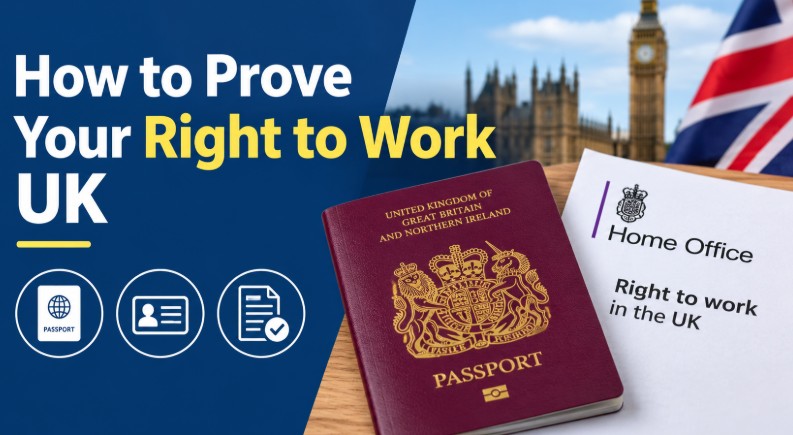
Under current Home Office rules for the 2026/27 tax year, you prove your right to work using either a digital right to work share code, now standard following the transition away from physical biometric residence permits (BRPs), or a physical document, such as a British or Irish passport.
Key Takeaways
- Employers must verify an employee’s legal right to work before their official start date to maintain compliance.
- Individuals with digital immigration status generate a unique online share code through the official government portal.
- British and Irish citizens present physical documentation such as a current or expired passport under Home Office List A guidelines.
- Expired visas or pending applications require verification through the Home Office Employer Checking Service to secure statutory excuses.
How to Prove Your Right to Work?
How you prove your right to work depends on your nationality and your immigration status. The current rules separate workers into two main groups, each with its own method of proof:
| Your Status | What You Provide |
| Visa holder, EU Settlement Scheme (settled/pre-settled), eVisa | Online share code |
| British citizen | Physical passport (List A) |
| Irish citizen | Physical passport (List A), no share code needed (Common Travel Area) |
| Pending visa application/appeal (Section 3C) | Neither, employer contacts Home Office ECS |
How to Prove Your Right to Work with a Share Code?
If your immigration status is managed digitally through UK Visas and Immigration (UKVI), follow these steps to generate and share your proof:
With physical Biometric Residence Permits (BRPs) now fully phased out, all visa and settled-status holders rely entirely on digital eVisas accessed via an online UKVI account.
- Access the Portal: Navigate to the official Prove your right to work service on the UK government website.
- Sign In: Enter the details of the identity document linked to your account (such as your passport, biometric residence card, or biometric residence permit).
- Verify Identity: Request and enter the security code sent to your mobile phone or email address.
- Generate a Share Code: Follow the online prompts to get a share code specifically for employment purposes. This generates a unique, alphanumeric string that remains valid for 90 days.
- Share with Your Employer: Provide the share code along with your date of birth to your prospective employer, allowing them to view your live immigration status through the employer-facing portal.

How can a British and Irish Citizen Prove Eligibility?
If you do not have a digital immigration profile, your eligibility is verified through physical documents:
- Select Acceptable Documents: Gather official documents from List A (such as a current British or Irish passport) or List B (for time-limited permissions).
- If you do not have a passport, you can provide an official UK birth or adoption certificate together with an official document showing your National Insurance number and name (such as a P45, P60, or letter from a government agency).
- Present Originals: Provide the original, physical document directly to your employer. Photocopies or digital scans are not legally sufficient on their own.
- In-Person Inspection: Allow the employer to inspect the document in your physical presence to confirm that the photographs and personal details match your identity.
Can British and Irish Citizens Prove Their Right to Work Online?
Yes, but not with a share code. British and Irish citizens cannot generate one. Instead, employers can pay a Home Office-certified Identity Service Provider (IDSP) to run the check using identity document validation technology (IDVT).
You upload a photo of your valid passport and complete a face match on your phone. The provider confirms that the passport is genuine and that it belongs to you.
This route only works with a valid British or Irish passport (including an Irish passport card). If yours has expired, your employer must do a manual check in person. Employers who use an IDSP still remain responsible for the result, so they cannot simply leave it to the provider.
Can You Prove Your Right to Work Online or by Video Call?
It depends on your status, and this is where many small businesses go wrong.
| Your status | Can it be done remotely? | How |
|---|---|---|
| Visa holder, eVisa, EU Settlement Scheme | Yes | Share code and date of birth, checked on gov.uk |
| British or Irish citizen with a valid passport | Yes | Digital check through an IDSP |
| British or Irish citizen without a valid passport | No | Manual check in person |
A video call on its own is not enough for a manual document check. The temporary rule that allowed document checks over video ended in September 2022, and a photo or scan of a passport sent by email is not acceptable either.
For share code checks, the employer still needs to confirm that the person on the call matches the photo shown on the Home Office result. A short video call is a good way to do that.
When Do You Need to Prove Your Right to Work?
You need to prove your right to work before your first day. A check done afterwards does not protect the employer from a penalty.
If your start date is close and you have not yet sent your share code or shown your passport, do it straight away, because a late check can delay your start, rather than relying on temporary excuses to get out of work while scrambling to gather your paperwork.
For a small business, the simplest approach is to build the check into the job offer. Ask the candidate to send their share code and date of birth, or to bring their original passport, as soon as they accept. That leaves time to fix any problem before day one. Nobody should begin work while their check is still incomplete.
How to Prove Your Right to Work to an Employer?
Send your share code + date of birth, or hand over your original document in person, before your agreed start date.
- Digital status: Share your code and date of birth directly with your employer (by email or in your onboarding portal). They’ll run the check on gov.uk themselves.
- British/Irish citizen: British/Irish citizen: Bring your original passport to your employer in person, not a photo or scan.
- Pending application: Tell your employer directly so they can request a check from the Home Office ECS on your behalf.
- Timing: Do this before your first working day, a late check can delay your start date.

How Long Does Proof of Right to Work Last?
A share code is valid for 90 days, and your employer must complete the check within that window. Once they have, you do not need to send a new code unless your permission to work has a time limit.
How long does your permission to work last?
That depends on the document.
- Permanent right to work (List A): A British or Irish passport gives lasting proof. The employer’s protection continues for as long as you work for them, with no repeat checks.
- Time-limited right to work (List B): A visa or similar permission has an end date. Your employer must run a follow-up check before it expires, so be ready to provide a fresh share code in good time.
- Pending applications: Your employer can request a Positive Verification Notice (PVN) from the Home Office. It gives temporary six-month protection while your application is decided.
What if your visa application is pending?
If you cannot provide a digital share code or physical documents due to an outstanding visa application or an administrative appeal protected under Section 3C of the Immigration Act 1971:
- Inform your employer so they can contact the Home Office Employer Checking Service (ECS) on your behalf.
- Once the Home Office processes the request, it will issue a Positive Verification Notice (PVN), granting a temporary statutory excuse for six months while it decides your formal application.
What Happens If You Can’t Prove Your Right to Work?
If you cannot show acceptable proof, an employer cannot legally let you start work. What to do depends on the problem.
If you are a worker:
- No share code yet: Sign in to your UKVI account and generate one. If you cannot access the account, contact UKVI for help.
- Lost or expired passport: An expired British or Irish passport can still be accepted for a manual check. If you have lost yours, apply for a replacement.
- Application or appeal pending: Tell your employer, who can use the ECS route above.
- Only a P45, National Insurance card or bank statement: These do not prove right to work and cannot be accepted.
If you are an employer and a check fails or looks suspicious:
- The share code does not work, or the details or photo do not match the person: Do not hire them until the problem is resolved.
- A document looks altered or forged: Do not accept it. Keep a record of what you saw and the date, and take advice from the Home Office.
- Treat everyone the same way: Do not make assumptions based on accent, name or appearance, and give candidates a fair chance to resolve genuine problems.
Employer Checklist: How to Verify a Candidate?
Check documents before day one, verify online codes on gov.uk, and keep dated records.
- Obtain Credentials: Request physical identity documents (List A or List B) or a digital online share code directly from the candidate before employment commences. Unofficial documents like P45 forms or National Insurance cards are not accepted.
- Inspect Physical Documents: Examine original documents in the direct physical presence of the applicant. Verify that photographs and personal details match the individual and check expiration dates for time-limited permissions.
- Perform Online Checks: Input the candidate’s unique 90-day share code and date of birth into the official employer-facing checking portal on gov.uk to view their live status profile.
- Retain Secure Records: Make a clear, secure copy of every checked document or digital profile, record the exact inspection date, and store records in compliance with data protection laws.
- Schedule Follow-Up Checks: Track expiration dates for workers with time-limited permissions (List B) and perform required follow-up checks prior to expiry.
- Use the Employer Checking Service (ECS): Submit an online verification request via the Home Office ECS if a worker has pending visa applications or appeals protected under Section 3C, securing a temporary Positive Verification Notice (PVN).
Do Existing Employees Need to Prove Their Right to Work Again?
In most cases, no. If a correct check was done when someone was hired, it does not need repeating just because time has passed. The employer’s protection continues for as long as the person works for them.
A new check is needed in these situations:
- Time-limited permission: The visa or status has an end date, so a follow-up check must be done before it expires.
- The first check was done incorrectly: If it was missed, incomplete, or not recorded, the business has no protection, so it is worth correcting now.
- A new employer: A new job with a different employer is a new hire, so the new employer must check.
A good habit for small businesses is a one-off review of staff files. Make sure each employee has a dated record of the original check, and note any expiry dates.
What are the Legal Penalties for Getting It Wrong?
If an employer fails to run a proper right-to-work check or hires someone illegally, they face severe financial and criminal penalties. The Home Office enforces these rules strictly.
Furthermore, from 1 October 2026, the scope of these penalties expands significantly under extended liability provisions to cover non-employee engagements, including agency staff, zero-hours workers, individual sub-contractors, and gig economy platform workers.
| Infringement | Penalty | Law |
| First breach, no statutory excuse | Up to £45,000 per worker | Immigration, Asylum and Nationality Act 2006 |
| Repeat breach (within 3 years) | Up to £60,000 per worker | Immigration, Asylum and Nationality Act 2006 |
| Knowingly employing illegally | Unlimited fine or imprisonment | Section 21, Immigration Act 2016 |
How Much Does a Right to Work Check Cost?
For most people, nothing. The two main routes are free:
- Manual check: No fee. You examine the original passport or document yourself.
- Online share code check: No fee. The Home Office service on gov.uk is free to use.
The only cost comes with the digital IDSP check. Providers set their own prices, so compare current quotes before committing.
It can be worth paying if you hire British or Irish candidates who live far away, you want to avoid in-person meetings, or you have too little admin time to handle document checks reliably. If most of your hires are local, free manual checks may be all you need.
The cost of not checking can be far higher, with penalties of up to £45,000 or £60,000 per worker.
List A vs. List B: What’s the Difference?
Right-to-work documents are split into two distinct categories, List A and List B, which determine whether an employee has a permanent or time-limited right to work in the UK, as well as what obligations the employer has moving forward.
| List A | List B | |
| Examples | British/Irish passport, certificate of registration | BRC/visa with expiry date |
| Statutory excuse | Continuous, for full employment duration | Time-limited, must recheck before expiry |
| Follow-up required? | No | Yes |
What Common Mistakes Do Small Businesses Make During Right-to-Work Checks?
Employers often make mistakes during right-to-work checks because of rushed onboarding or confusing immigration rules, which can lead to severe fines.
- Accepting Unofficial Documents: Relying on invalid items like a P45, National Insurance card, or bank statement, which carry no legal immigration status.
- Skipping In-Person Physical Inspections: Accepting photocopies or digital scans instead of examining original, valid documents in the direct physical presence of the candidate.
- Neglecting Follow-Up Checks: Failing to track expiration dates for workers with time-limited List B permissions, resulting in non-compliance once visas expire.
- Mismanaging Digital Share Codes: Accepting expired codes older than 90 days or failing to cross-reference them with the correct date of birth in the official portal.
- Failing to Retain Proper Records: Omitting clear document copies or exact inspection dates, leaving the business without a valid statutory excuse during a Home Office audit.

Conclusion
Carrying out right-to-work checks correctly protects both businesses and workers from legal risk. Employers must verify credentials before work commences, utilising digital share codes for visa holders and physical List A or List B documents for British and Irish citizens.
Maintaining accurate records and diarising follow-up checks for time-limited permissions ensures ongoing compliance with Home Office regulations.
Disclaimer: This article is for informational purposes only and does not constitute formal legal or immigration advice; employers and employees should consult official government guidelines or legal professionals for specific compliance matters.
FAQs
Is a P45 proof of right to work?
A P45 is not acceptable proof of right to work because it only details previous tax and employment earnings, containing no information regarding an individual’s legal immigration status or permission to work in the UK.
What documents can be used to prove identity for work in the UK?
Acceptable identification documents include current or expired British or Irish passports, valid visas linked to a digital share code, or official UK birth certificates combined with an official National Insurance number document.
Do Irish citizens need a share code for work?
No, Irish citizens do not need a digital share code because their right to work is protected under the Common Travel Area, and they verify employment eligibility using their valid Irish passport.