How to Perform a VAT Number Check by Company Name: HMRC Lookup Guide & Supplier Verification
You cannot perform a direct VAT number check by company name on GOV.UK because HM Revenue & Customs (HMRC) does not offer a public reverse-lookup directory.
To verify a business’s VAT registration, you must first get their nine-digit VAT registration number from an invoice, website footer, or quote, and then validate it using the official GOV.UK checker tool.
Key Takeaways
- HM Revenue & Customs requires a nine-digit registration number to perform an official online VAT status search for any United Kingdom business.
- Businesses must legally display their unique nine-digit VAT identification number on all official sales invoices, credit notes, and quotes.
- Reclaiming input tax on an invalid or unverified VAT registration number leads to rejected claims and financial penalties from tax authorities.
- The mandatory United Kingdom VAT registration threshold requires businesses with taxable turnover exceeding £90,000 to register with tax authorities.
What Is a VAT Number?
A VAT number is a unique nine-digit business identification code issued by HM Revenue & Customs (HMRC) to UK enterprises registered for Value Added Tax.
This number allows businesses to charge VAT on sales, reclaim tax paid on commercial purchases, and verify valid tax status on official trade documents.
Understanding the Nine-Digit HMRC Identifier
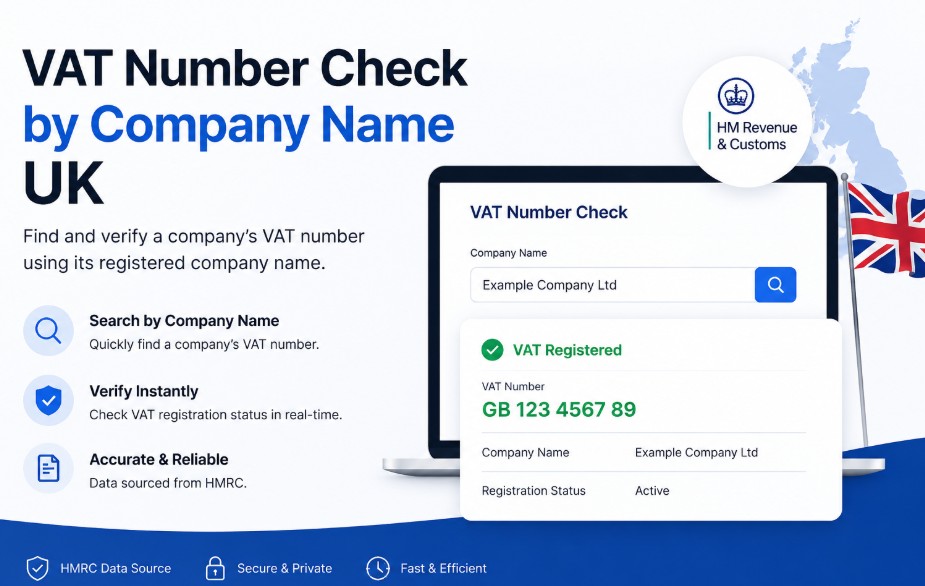
In the UK, a standard VAT registration number consists of nine digits, usually formatted as three blocks (e.g., 123 4567 89).
When trading across borders or issuing formal international invoices, the code is prefixed with GB for United Kingdom entities or XI for Northern Irish businesses trading in goods under the Windsor Framework.
A VAT number is distinct from a Companies House company registration number (CRN) or a Unique Taxpayer Reference (UTR). While corporate numbers register a business entity, a VAT number specifically tracks sales tax liabilities and input tax reclaims across supply chains.
How to Conduct a VAT Number Check by Company Name UK?
Conducting a VAT number check by company name in the UK requires a two-step workflow: first, retrieve the 9-digit tax identifier from public commercial documents (such as invoices or website legal footers).
Second, verify that number on the official GOV.UK checker to confirm the business name, address, and active status.
3-Step Supplier Verification Workflow
- Locate the 9-Digit VAT Number: Search the vendor’s tax invoices, quotes, website footer, or contact their accounts department to retrieve their tax ID (often prefixed with GB).
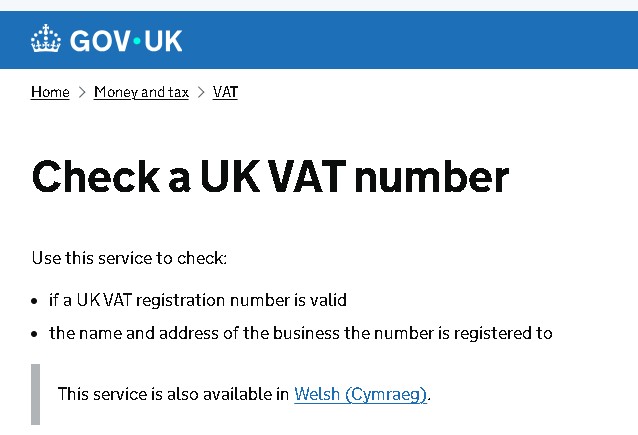
- Access GOV.UK Verification Service: Enter the 9-digit string into the official HMRC checking portal at gov.uk/check-uk-vat-number to pull live government records.
- Verify Match & Establish Audit Trail: Confirm that the returned business name and address match your invoice details. Download and store the time-stamped digital PDF certificate for Making Tax Digital (MTD) audit compliance.
The Operational Reality of UK VAT Lookups
The operational reality of UK VAT lookups is that HMRC restricts open-ended database browsing to protect commercial privacy and prevent identity fraud.
The official system acts as a verification gateway, confirming data you already hold, rather than an open directory for corporate intelligence.
To verify a vendor before releasing payment, finance teams must understand how government databases validate corporate information:
| Verification Method | Primary Data Source | Verification Level | Access Cost |
| Official GOV.UK Checker | HMRC Central Register | Full Legal Confirmation | Free |
| Tax Invoice Inspection | Supplier Accounts Payable | Primary Source Document | Free |
| Companies House Search | Public Financial Accounts | Secondary Filing Document | Free |
| VIES System (NI/EU) | European Commission Register | Cross-Border Active Status | Free |
Is It Possible to Find a VAT Number by Company Name on GOV.UK?
No, it is not possible to find a VAT number by company name on GOV.UK. The official search portal requires you to input a 9-digit VAT registration number to confirm whether it belongs to an active, legitimate business. It does not support reverse searches starting with a business name.
GOV.UK VAT Checker Capabilities
- Input Required: 9-Digit VAT Registration Number (e.g., 123 4567 89).
- Output Provided: Registered Business Name, Official Registered Address, and Active Registration Status.
- Unsupported Query: Reverse Search (Company Name rightarrow VAT Number).
Why Does HMRC Limit Reverse Name Searches?
HMRC limits reverse name searches to prevent tax fraud, identity theft, and corporate scraping. Restricting open database access stops bad actors from harvesting active corporate identities to generate fraudulent sales invoices and illegitimate input tax reclaims.
When a business reaches the mandatory annual taxable turnover threshold of £90,000, it must register for VAT, a milestone that can significantly impact cash flow and administration, prompting some founders to feel that being VAT registered is hurting their business.
Upon registration, HMRC issues a Certificate of VAT Registration (Form VAT4) containing a unique nine-digit code (sometimes prefixed with GB).
Entering these nine digits into the GOV.UK service brings up the registered business name and address. If those details match the entity on your invoice, you can be confident the registration is active and legitimate.
Finance teams usually request this certificate alongside bank details during supplier onboarding.
How to Check If a Company Is VAT Registered Without a VAT Number?
To check if a company is VAT registered without knowing their VAT number, inspect their formal sales invoices, check their website footer or legal terms, review B2B e-commerce platform profiles, or request a copy of their HMRC Certificate of VAT Registration (Form VAT4) directly from their accounts team.
5-Step Supplier Registration Search Methods
- Inspect formal tax invoices and quotes: UK tax legislation requires every registered business to state its nine-digit tax identifier on all formal sales documentation, including quotes and invoices.
- Review website footers and terms of service: Most commercial entities list their company registration number, legal address, and tax identification details in the website footer or legal policies section.
- Examine filed accounts on Companies House: Access the company’s public filings online. Small and micro-entity accounts often list tax payment details or note registration status in the notes to the financial statements.
- Check B2B digital marketplaces: If purchasing through commercial platforms or merchant portals, review the seller’s public profile page, where platform operator rules mandate displaying tax identification.
- Request an official VAT registration certificate: Contact the vendor’s accounts receivable department directly and ask for a copy of their HMRC registration document (Form VAT4) to confirm active status before processing payments.
Companies House does NOT display VAT numbers. While Companies House records corporate details when you register a company in the UK, tax registrations are handled separately by HMRC and are not published on the Companies House register.
How to Use the Official HMRC VAT Number Check Online?
To use the official HMRC VAT number check online, visit gov.uk/check-uk-vat-number, enter the supplier’s 9-digit VAT number without spaces or the GB prefix, and submit the query to instantly view and cross-reference the official registered business name and address.
Step-by-Step Online Verification Flow
- Navigate to the Official Portal: Visit gov.uk/check-uk-vat-number.
- Input Tax Identification Number: Enter the 9-digit tax identifier found on your supplier’s documentation (exclude spaces or the GB prefix).
- Execute Search: Submit the query to view the registered business name and official address held on HMRC central records.
- Cross-Reference Invoice Details: Match the returned business name and address against the name and address printed on your supplier’s invoice.
- Generate Audit Record: Download or print the digital time-stamped result certificate to serve as physical evidence during future tax audits.
- Northern Ireland & Cross-Border Checks: For Northern Irish entities trading in goods under the Windsor Framework, verify the number using the XI prefix via the European Commission VIES database.
How Do I Find Out My Own UK VAT Number?
You can find your own UK VAT number by logging into your HMRC Business Tax Account using your Government Gateway credentials. Your 9-digit tax identifier is displayed on your main account dashboard, previous digital tax returns, and electronic Certificate of VAT Registration.
Retrieving Your Identifier via Government Gateway
| Account Type | Primary Retrieval Method | Access Requirements | Processing Time |
| Sole Trader | Personal Tax Account / Gateway | Government Gateway Credentials | Immediate Online Access |
| Limited Company | HMRC Business Tax Account | Company Gateway User ID & Password | Immediate Online Access |
| Partnership | Partnership Tax Return Files | Copy of Form VAT4 or SA800 | Manual Document Review |
If offline, accounting teams can locate missing credentials by checking prior bank reconciliations or reviewing past filings within Making Tax Digital (MTD) compliant software.
Why Is a VAT Checker Used in SME Operations?
SMEs use a VAT checker to prevent supply chain fraud, guard against civil financial penalties, and ensure that input tax reclaims are legitimate. Claiming VAT on invoices issued by fake or deregistered suppliers results in disallowed tax claims by HMRC.
Protecting Input Tax Reclaims
When your business buys goods or services from a registered vendor, you pay VAT to the seller and reclaim that amount as input tax on your quarterly return.
However, if you claim input tax on an invoice with a fake, mistyped, or deregistered tax number, HMRC will disallow the claim.
That leaves your business liable for the full tax shortfall, alongside statutory interest charges and accuracy penalties.
Mitigating Fraud Risk in the Supply Chain
Organized commercial fraud frequently involves shell companies issuing fake invoices with fabricated tax registration numbers.
Verifying vendor credentials before releasing funds ensures your payments go to legitimate corporate entities rather than fraudulent operations.
What Should You Do If a Company’s VAT Number Shows as Invalid?
If a company’s VAT number shows as invalid on GOV.UK, re-check the 9-digit input for typographical errors, confirm if the business was newly registered within the last 14 days (system sync delay), request an updated certificate from the supplier, and withhold the VAT portion of payment until verified.
Steps to Resolve Verification Failures
- Verify typographical accuracy: Check the nine-digit string for inverted digits or extra spaces entered during the portal query.
- Account for system updates: Newly registered businesses often experience a 10 to 14-day delay between receiving their registration certificate and their details syncing with the public online verification portal.
- Contact the vendor directly: Request an updated, time-stamped Certificate of VAT Registration issued directly by tax authorities to ensure the business has not voluntarily deregistered.
- Withhold the tax portion of payment: If the vendor cannot provide proof of valid registration, pay the net invoice amount but withhold the tax component until official verification is established.
SME Onboarding Checklist: Validating New Suppliers
An SME supplier onboarding checklist validates new vendors by collecting their legal company details, running their 9-digit VAT number through GOV.UK, matching the returned address to the invoice, saving a time-stamped digital PDF for audit records, and scheduling annual re-verification checks.
- Collect the full legal entity name, corporate registration number, and claimed tax identification number during vendor setup.
- Run the nine-digit number through the official online government checker tool.
- Confirm that the name and address returned by the system match the vendor’s invoice details.
- Save a digital PDF copy of the time-stamped government verification screen in your accounting system.
- Verify whether the business threshold applies if a supplier claims exemption from charging tax.
- Schedule annual re-verification checks for major recurring suppliers to catch unannounced voluntary deregistrations.
Conclusion
Verifying supplier credentials is an essential component of financial risk management and tax compliance.
While you cannot query tax databases using only a corporate entity name, retrieving a supplier’s nine-digit tax identifier from their public documentation allows you to perform a quick, free check via government portals.
Establishing a routine verification workflow within your accounts payable team protects your business against fraudulent invoices, ensures compliance with Making Tax Digital requirements, and guards against costly input tax disallowances during tax audits.
Disclaimer: This article provides general administrative information only and does not constitute formal accounting, tax, or legal advice; always verify supplier credentials directly with HMRC or a qualified professional.
FAQ
Is it possible to find a VAT number by company name on GOV.UK?
No, the official government tool does not allow reverse lookups by company name alone. You must enter a nine-digit tax identification number to confirm the registered business name and address held on file.
How do I check if a company is VAT registered without a VAT number?
Locate the nine-digit identifier on the vendor’s sales invoices, website legal footers, or Companies House filings. Once retrieved, enter those nine digits into the official government portal to confirm active registration status.
Is it free to check a VAT number in the UK?
Yes, checking a tax registration status via the official government online portal is entirely free. Business owners can verify unlimited numbers without paying subscription or lookup fees.
How to know if a company is VAT or non-VAT registered?
A business must register if its taxable turnover exceeds £90,000. If registered, they will state their nine-digit tax identifier on invoices. If non-registered, they cannot legally charge tax on sales.
Where can I find the VAT ID number on an invoice?
Tax identification numbers are typically printed near the top or bottom of a formal sales invoice, alongside the company registration number, legal business address, and contact details.
Do all companies have their own VAT number?
No, only businesses that exceed the statutory turnover threshold or choose to register voluntarily hold a tax identifier. Unregistered companies do not have one and cannot charge tax on invoices.
How do I find out my own UK VAT number online?
Log in to your HMRC Business Tax Account using your Government Gateway credentials. Your nine-digit registration number is displayed on the main dashboard and on your electronic registration certificate.
What is a good VAT number checker tool?
The safest tool is the official UK government verification service at gov.uk/check-uk-vat-number. It pulls live data directly from official tax databases without third-party data risks.