
How to Get a Share Code Online: Proof of UK Right to Work and Rent
To get a share code UK online, visit GOV.UK, select your identity document type (passport, national ID, or BRP card), enter your document number and date of birth, complete the multi-factor security code check, choose your verification purpose, and click Generate to receive your 9-character code instantly.
This digital modernization replaces traditional paper vignette stamps and physical Biometric Residence Permits with central online profiles managed directly by the Home Office.
Key Takeaways
- Digital immigration verification relies on secure alphanumeric tokens generated instantly through official government online self-service portals.
- Users must provide valid identity documentation such as a passport, national identity card, or biometric residence card to access their account.
- Share codes generated for proving employment or tenancy rights remain active for up to ninety days from the exact date of creation.
- Third parties must verify the unique code alongside the applicant’s date of birth via dedicated GOV.UK employer and landlord checker services.
What Is a Share Code?
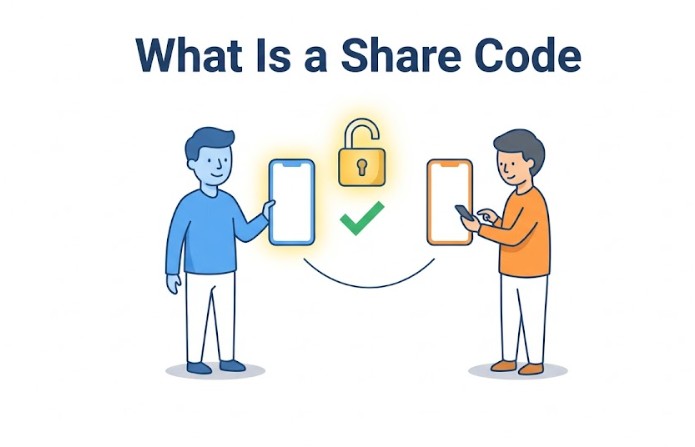
A UK share code is a temporary 9-character alphanumeric reference code generated through GOV.UK that grants employers, landlords, or educational institutions secure, read-only access to verify your official UK immigration status online.
A share code grants read-only access to specific immigration details and never gives third parties full access to your personal Home Office account.
Share codes start with specific letter prefixes depending on their legal purpose:
- Right to Work codes start with W.
- Right to Rent codes start with R.
- General Status codes start with S.
Who Needs a Share Code?
Anyone holding a UK eVisa, digital status, or Biometric Residence Permit who needs to prove their legal status to employers, landlords, universities, or public services needs a share code.
As the UK transitions fully to digital immigration records, physical paper stamps and Biometric Residence Permits (BRPs) are being phased out. You require a share code if you are:
- Job Applicants & Employees: To prove eligibility to work without restrictions or to show specific work condition permissions to employers.
- Prospective Tenants: To prove eligibility to rent residential property to private landlords or letting agents.
- Students: To demonstrate immigration compliance to UK universities and colleges.
- Individuals Accessing Services: To verify rights when applying for healthcare, financial services, or local council support.
Who Does NOT Need a Share Code?
British citizens and Irish citizens holding a valid passport do not need a share code to live, work, or rent in the UK under Common Travel Area rules.
If you are a British citizen or an Irish passport holder, standard identity documents (such as your passport) remain fully sufficient for employment and housing verification.
What You Need Before Getting a Share Code?
Before starting, you need your linked identity document number (Passport, National ID, or BRP card), your Date of Birth, and access to the phone number or email registered to your UKVI account.
To ensure a seamless login process, prepare the following details before accessing the government portal:
- Identity Document: The active passport, national identity card, or BRP card linked to your digital UKVI profile.
- Date of Birth: Must match the official record exactly.
- MFA Device: Access to the mobile phone number or email address linked to your account to receive security passcodes.
How to Get a Share Code UK Online?
To get a share code online, navigate to GOV.UK, click Start Now, authenticate your identity using your document details and a security code, select your purpose, and click Generate Code.
Follow these step-by-step instructions to create your token directly through the government system:
- Access the GOV.UK Portal: Visit the official View and prove your immigration status page on GOV.UK and click the Start Now button.
- Authenticate Your Identity: Select the identity document type linked to your UKVI account (Passport, National ID, or BRP). Enter the document number and your Date of Birth.
- Enter Security Verification: A one-time passcode (OTP) will be sent via SMS or email. Enter this code on screen to complete multi-factor authentication.
- Choose Your Purpose: Select why you are generating the code (e.g., proving right to work to an employer or right to rent to a landlord).
- Generate and Save Your Code: Click Generate Code to view your 9-character code. Copy the code or email it directly to your employer or landlord alongside your date of birth.

How Can I Get a Share Code UK Visa and Immigration Status?
Navigating the official portal requires specific preparation to ensure seamless access. Users must ensure their active passport or identity card is linked correctly to their online profile before attempting to generate tokens.
- Navigate to the official GOV.UK view and prove your immigration status landing page.
- Click the Start Now button to launch the secure identity authentication gateway.
- Select your primary identity document type, such as a passport, national identity card, or biometric residence permit.
- Enter your exact document number and date of birth, and complete the mobile phone or email verification step.
- Access your dashboard overview to review your current visa parameters and expiration dates.
- Select the specific service option corresponding to whether you are proving employment eligibility or tenancy rights.
- Click the generate button to produce your unique alphanumeric share code on screen.
- Copy the code immediately or select the option to send a confirmation record directly to your personal email address.
How Do You Get a Share Code UK Right to Work and Right to Rent?
Select Right to Work when generating a code for employers (prefix W), or Right to Rent for landlords (prefix R). Choosing the wrong category causes check rejections.
Selecting the correct verification pathway ensures that third parties receive the precise statutory wording required under UK law.
| Verification Use | Target Recipient | Code Prefix | Validity | Required Info to Share |
| Employment | Employer / HR | Starts with W | 90 Days | Share Code + Date of Birth |
| Tenancy | Landlord / Agent | Starts with R | 90 Days | Share Code + Date of Birth |
| General Inquiry | Personal / Record | Starts with S | Single Session | Read-only access |
Essential Steps for Employment Verification
To generate a Right to Work code, log into UKVI, select the employment option, confirm your work condition permissions, and provide the W prefix code to your HR team.
- Log in to your UKVI profile using your linked passport or biometric card details.
- Choose the employment option from the menu of available status sharing goals.
- Review the on-screen summary to confirm your permitted hours and work restrictions.
- Generate the code and provide it alongside your date of birth to your employer.
Essential Steps for Tenancy Verification
To generate a Right to Rent code, log into UKVI, select the housing option, generate your R prefix code, and provide it to your letting agent before signing a lease.
- Access the official tenant verification portal via GOV.UK using your secure credentials.
- Select the right-to-rent option to configure the token for residential checks.
- Copy the generated alphanumeric string and transmit it securely to your letting agent.
- Ensure the agent completes the online check before the 90-day validity window elapses.
How Long Does It Take to Get a Share Code UK?
Generating a share code on GOV.UK takes under 3 minutes and works instantly. Once generated, every share code remains valid for exactly 90 calendar days.
| Metric | Official Specification |
| Generation Time | Instant (Under 3 minutes) |
| Validity Window | 90 Calendar Days |
| Availability | 24 Hours a Day, 7 Days a Week |
| Cost | 100% Free |
How Long Is a Share Code Valid?
A share code remains valid for 90 calendar days from the exact date it is created.
- During these 90 days, the same code can be checked multiple times by the designated party (e.g., your prospective employer or landlord).
- Once the 90-day window passes, the code automatically expires. If a check is still required after expiration, you simply need to log back into your UKVI account and generate a new code.

What Happens When a Share Code Expires?
When a share code passes its 90-day window, it automatically becomes invalid. You can generate a brand-new code instantly by logging back into your UKVI account.
If an employer or landlord fails to check your code within 90 days, you do not need to submit any official applications or pay fees. Simply repeat the online process to generate a fresh token.
Troubleshooting Common Access Issues
Common share code login issues are resolved by updating expired identity documents on GOV.UK, updating phone/email details, or clearing browser cache data.
If you encounter technical errors while attempting to retrieve your token, review these standard fixes:
- Outdated Contact Information: If you no longer have access to the mobile number or email address linked to your profile, you must update your details through the GOV.UK update your account service before attempting login.
- Document Expiry Mismatch: Renewing a passport without updating your Home Office profile will cause lookup errors. Ensure new passport details are linked to your digital status before requesting tokens.
- Browser Cache Conflicts: Persistent loading loops or authentication failures can often be resolved by clearing browser cache data or switching to an alternative secure browser device.
Offline Assistance & UKVI Resolution Centre
If you experience account lockouts or technical errors, contact the UKVI Resolution Centre by phone at 0300 790 6268 for identity verification help.
- Telephone (UK): 0300 790 6268
- Telephone (Outside UK): +44 203 875 4669
- Required Info: Keep your passport number and UKVI customer reference number ready when calling.
Conclusion
Getting a UK share code means instantly generating a secure 9-character digital verification token for visa holders, employees, and prospective tenants in 2026.
By preparing linked identity documents in advance and choosing the correct code prefix, applicants can effortlessly maintain compliance across employment, housing, and higher education checks.
Disclaimer: This guide is for informational purposes only; always verify current procedures directly on the official GOV.UK portal.
FAQ
Can someone else generate a share code on my behalf?
No. For security and data protection compliance, you must log into your own personal online government account using your identity credentials to generate and share your unique status codes.
Are government share codes free to create online?
Yes. Generating status codes and accessing your online immigration profile through official GOV.UK web portals is entirely free of charge for all registered account holders.
What should an employer do with the code you provide?
Employers must enter your share code and date of birth into the official online employer checking service on GOV.UK to verify your legal employment eligibility and retain a statutory excuse against fines.
Do Irish citizens require a share code to live and work in the UK?
No. Under the Common Travel Area arrangements, Irish citizens do not need an immigration share code or digital eVisa to prove their right to work or rent in the United Kingdom.
What happens if my share code expires before verification?
If your code expires after ninety days without being checked, it becomes invalid. You must simply log back into your online government account and generate a new code.
Can I use a single share code for multiple employers?
Yes. A generated share code can be used multiple times by different organizations or landlords as long as it remains within its active ninety-day validity window.
How do I update my personal details if my name changes?
You must report official name changes or document renewals directly to UK Visas and Immigration online to ensure your digital profile matches your physical credentials accurately.