
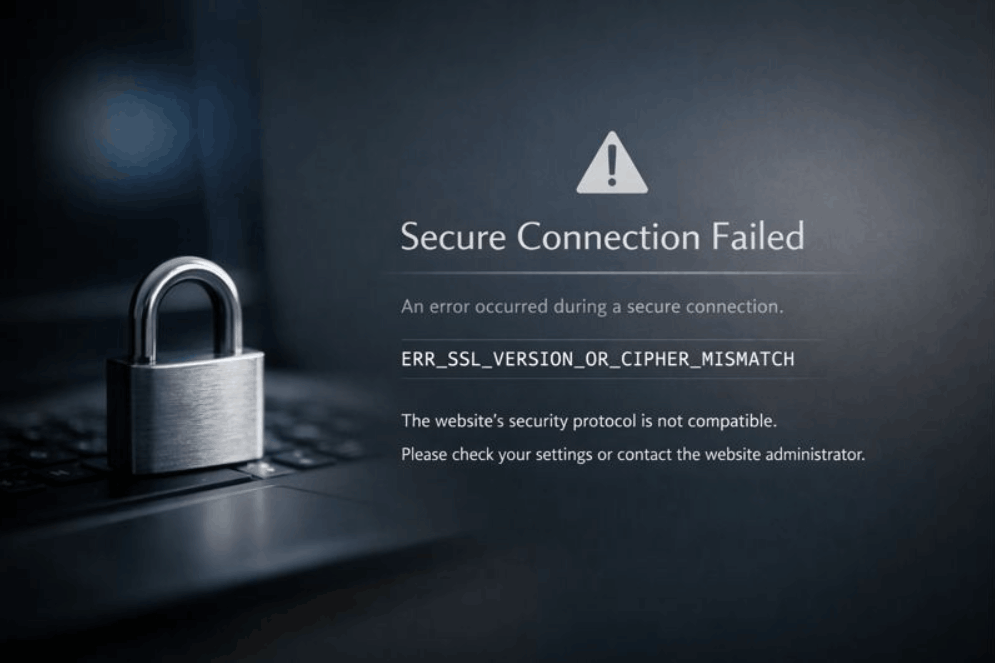
ERR_SSL_VERSION_OR_CIPHER_MISMATCH in Chrome? Fix It in 10 Minutes (UK Guide That Actually Gets You Sorted)
Seeing ERR_SSL_VERSION_OR_CIPHER_MISMATCH is frustrating because it stops the page loading entirely, no partial content, no try anyway button, just a hard block. The good news is that it’s usually quick to diagnose and often fixed with a small number of targeted changes once you know what to check.
This isn’t a generic SSL problem. It’s a negotiation failure. Your browser and the website can’t agree on a secure TLS setup, or the certificate doesn’t match the hostname you typed, so the browser refuses the connection to keep you safe.
err_ssl_version_or_cipher_mismatch: the truth and the fastest fix
err_ssl_version_or_cipher_mismatch means your browser and the website failed the TLS handshake because they couldn’t agree on a compatible TLS version and cipher suite, or because the site’s SSL/TLS certificate doesn’t cover the exact hostname you’re visiting.
It’s typically caused by outdated server TLS settings, incompatible ciphers, or hostname/certificate mismatch.
Don’t waste time cycling through random browser tweaks. First, work out whether it’s your device/network or the website. Then confirm the exact cause (TLS version, cipher policy, certificate coverage, or proxy/CDN misalignment).

Why this error crops up more in the UK than you’d expect
The UK has a very browser-diverse reality: loads of mobile Safari (iPhones) and Chrome on Android, plus a chunky Edge share on desktop. That matters because TLS support and cipher preferences differ slightly across clients, and a brittle server config can fail for a significant slice of real users.
Here’s a UK snapshot (StatCounter, December 2025, all platforms):
| Browser (UK) | Share (Dec 2025) | Why it matters for TLS issues |
|---|---|---|
| Chrome | ~50% | Strict modern TLS expectations |
| Safari | ~30% | iOS/macOS TLS stack; can expose chain/SNI issues |
| Edge | ~10% | Chromium-based, similar strictness to Chrome |
| Samsung Internet | ~4% | Common on Android devices |
| Firefox | ~2% | Different error strings are helpful for cross-checking |
(If your site only works on one browser family, it isn’t fine, it’s quietly broken for a lot of UK visitors.)
What’s actually failing when you see err_ssl_version_or_cipher_mismatch
Even though the message says SSL, what’s really happening is a TLS handshake failure.
When a browser opens https://example.co.uk, it negotiates:
- TLS version (today: usually TLS 1.2 and/or TLS 1.3)
- Cipher suite (encryption options)
- Certificate identity (the certificate must match the hostname, via SANs/wildcards)
- Often, SNI (Server Name Indication) and ALPN (e.g., HTTP/2) also play into which certificate/config gets served
If there’s no overlap, the browser blocks the page. This is also why it worked last year isn’t reassuring: modern browsers have removed legacy TLS versions for security reasons, so old server configs that limped along can suddenly hard-fail. Chrome’s removal of TLS 1.0/1.1 (delayed into Chrome 84) is a well-documented example of this trend.

60-second triage: Is this your device/network, or the website?
Before you change server settings or reinstall anything, do this quick split test:
Try the same URL on:
- Your phone on mobile data (not Wi-Fi)
- A different browser (Chrome + Firefox is ideal)
- A different device (laptop vs phone)
Then interpret:
| Result | What it strongly suggests | What to do next |
|---|---|---|
| Fails on multiple devices + multiple networks | Website/server/CDN issue | Jump to the diagnosis workflow |
| Works on mobile data, fails on home Wi-Fi | Router/ISP DNS/proxy or security appliance interference | See network/AV section |
| Works on home, fails on work/school | SSL inspection proxy / firewall policy | Give IT a precise report |
| Works on newer devices, fails on older | Old OS trust store / TLS support | Update OS/browser or use a supported device |
This triage step alone saves a lot of back-and-forth.
The most common root causes and what they look like in real life
1) Outdated TLS versions on the server
If a server only supports TLS 1.0/1.1, modern browsers may block it. This usually presents as err_ssl_version_or_cipher_mismatch across most devices.
Example: A small business site on an old VPS hasn’t had OpenSSL/Apache updated in years. Customers on iPhone Safari and Chrome Android can’t load checkout pages, support gets flooded.
2) Cipher suite mismatch (too weak, too weird, or too restrictive)
Sometimes admins harden ciphers so aggressively that they lock out real browsers. Or the server only offers legacy ciphers that modern browsers reject.
3) Certificate doesn’t match the hostname
This is the classic: www.example.co.uk works, example.co.uk fails (or vice versa), or shop.example.co.uk fails because it was never added to the certificate SAN list.
Example: A café uses example.co.uk on its menus and Google Business Profile, but the certificate only covers www.example.co.uk. Half the clicks fail, and it looks like the website is down.
4) Missing intermediate certificates (chain problems)
Your certificate may be valid, but if the server doesn’t serve the full chain, some clients won’t be able to build trust reliably.
5) CDN / reverse proxy misalignment (Cloudflare-style setups)
You effectively have two TLS connections:
- Browser ⇄ CDN edge
- CDN ⇄ origin server
A mismatch at either layer can surface as err_ssl_version_or_cipher_mismatch.
6) Antivirus HTTPS scanning / corporate SSL inspection
Security products can intercept HTTPS by inserting themselves into TLS. If that layer is outdated or misconfigured, you’ll get handshake errors that look like the site’s fault.

Step-by-step workflow: diagnose → fix → verify (no guesswork)
Use this workflow whether you manage the site yourself or support it for others.
- Confirm scope using the 60-second triage
- Run a TLS scan to see protocol support, cipher compatibility, certificate chain, and hostname coverage
- Check hostname coverage (apex vs www vs subdomains)
- Prove TLS version support (TLS 1.2 + TLS 1.3)
- Fix the server/CDN settings (minimum TLS + sane cipher policy)
- Re-test from UK-like clients (Chrome Android + Safari iPhone + desktop Chrome/Edge)
- Set prevention controls (renewal monitoring, change testing)
That’s it, most cases get resolved by working through that loop.
How to diagnose err_ssl_version_or_cipher_mismatch in 10 minutes
1) Use UK-reality testing first (quick and free)
Because UK traffic is heavily split between Chrome and Safari, test with:
- Chrome on Android (or desktop Chrome/Edge)
- Safari on iPhone (or macOS Safari)
If one fails and the other succeeds, suspect:
- Certificate chain issues
- Hostname coverage mistakes
- Brittle cipher restrictions that affect certain TLS stacks
2) Scan the site’s TLS configuration
A decent TLS scanner will show:
- TLS versions supported (you want TLS 1.2 and/or TLS 1.3)
- Which ciphers are offered
- Certificate SANs (hostnames covered)
- Certificate chain completeness
If the report shows only legacy TLS or an incomplete chain, you’ve found the cause.
3) Verify hostname coverage properly (this catches loads of UK SME incidents)
Check all the hostnames a UK customer might hit:
example.co.ukwww.example.co.ukcheckout.example.co.uk(payments)bookings.example.co.uk(appointments)api.example.co.uk(apps)
If any of these hostnames aren’t on the certificate, browsers can throw err_ssl_version_or_cipher_mismatch or similar fatal SSL/TLS blocks.
4) Prove TLS 1.2 and TLS 1.3 support (technical but decisive)
If you have terminal access:
# TLS 1.2
openssl s_client -connect example.co.uk:443 -tls1_2 -servername example.co.uk

# TLS 1.3 (if supported)
openssl s_client -connect example.co.uk:443 -tls1_3 -servername example.co.uk
Key point: -servername sends SNI. Without it, shared hosting and CDNs can serve the wrong certificate, which can send your diagnosis in the wrong direction.

Fixing err_ssl_version_or_cipher_mismatch on Nginx, Apache, and CDNs
You won’t fix this by simply toggling SSL on and off. You fix it by ensuring modern TLS versions, a compatible cipher policy, and correct certificate coverage.
Target configuration: what good should look like
- TLS 1.2 enabled (baseline)
- TLS 1.3 enabled (ideal)
- Legacy protocols disabled (SSLv2/SSLv3/TLS 1.0/TLS 1.1)
- Certificate covers every hostname users visit
- Full certificate chain served
This aligns with modern guidance that recommends enabling TLS 1.2/1.3 and choosing the most restrictive policy that still meets your compatibility needs.
Nginx vs Apache vs CDN edge
| Layer | What to set | The mistake that causes err_ssl_version_or_cipher_mismatch | Quick verification |
|---|---|---|---|
| Nginx (origin) | TLS 1.2/1.3, correct cert + fullchain | Wrong server block catches traffic; missing chain; TLS too old | Test with OpenSSL + browser |
| Apache (origin) | Modern TLS protocols + sane cipher policy | Old OpenSSL/Apache can’t do modern TLS well | Check versions; consider upgrade |
| CDN edge | Edge cert covers hostname; minimum TLS not too strict | Edge cert pending/missing for subdomain; DNS/proxy mis-set | Toggle proxy carefully; re-scan |
Nginx: the practical fix pattern
Common UK setup: Nginx on a VPS behind a CDN, or directly serving a WordPress site.
Checklist:
- Your
server_nameincludes the hostnames you serve ssl_certificatepoints to a full chain file (oftenfullchain.pem)- TLS 1.2 and TLS 1.3 are enabled
- You didn’t paste in an ancient cipher list from a 2016 blog post
Example pattern:
server {
  listen 443 ssl http2;
  server_name example.co.uk www.example.co.uk;

  ssl_certificate     /etc/letsencrypt/live/example.co.uk/fullchain.pem;
  ssl_certificate_key /etc/letsencrypt/live/example.co.uk/privkey.pem;

  ssl_protocols TLSv1.2 TLSv1.3;

  # Keep cipher policy modern and compatible.
  # Avoid outdated cipher strings copied blindly from old tutorials.
}
If you change TLS/ciphers, always retest in Chrome and Safari, because that’s where brittle configurations show up quickest.
Apache: when the real fix is upgrading the stack
If Apache/OpenSSL is too old, you can’t reliably support modern TLS/ciphers. In that case, err_ssl_version_or_cipher_mismatch is often a symptom of technical debt.
Practical rule: if you’re fighting to make TLS 1.2 work on a creaky stack, you’ll often spend more time than a straightforward upgrade would.
When err_ssl_version_or_cipher_mismatch appears after a CDN or DNS change
This edge case is common enough that it’s worth calling out.
If the error started right after you:
- Enabled a CDN proxy,
- Switched DNS providers,
- Added a new subdomain,
- Changed Minimum TLS Version at the edge,
- Or moved hosting,
Then check, in this exact order:
- Does the edge certificate cover the hostname? (including
www, apex, and any subdomain) - Is the DNS record actually proxied the way you think?
- Is the edge enforcing a minimum TLS version your origin can’t support?
- Is the origin serving the correct certificate for SNI requests?
In UK terms, this often shows up when a business adds bookings.example.co.uk for appointments and forgets to include it on the TLS certificate, or the CDN hasn’t issued the hostname certificate yet.

Visitor-side fixes: when you don’t control the website
If you’re just trying to access a site and err_ssl_version_or_cipher_mismatch appears, your options are limited, but you can still fix a fair number of cases.
1) Update your browser and OS
Modern TLS support depends on both. An older OS can lack the necessary crypto and trust store updates, even if you install a newer browser.
2) Try mobile data vs Wi-Fi
If it works on mobile data but fails on Wi-Fi, suspect your router, ISP filtering, or a security product on the network.
Example: A home router with web protection features enabled (common on ISP-provided kits) can interfere with TLS if it’s doing inspection poorly.
3) Antivirus HTTPS scanning
If disabling HTTPS scanning suddenly makes the site load, your security product is the breaking point (not the website). Re-enable it afterwards and adjust the feature rather than leaving it off.
4) What to tell IT (work/school networks)
If it only fails on corporate Wi-Fi, say:
- The exact URL and hostname
- That it works on mobile data
- The error text: err_ssl_version_or_cipher_mismatch
- The approximate time it occurred
That gives IT a clear starting point to check SSL inspection policies.
Trust and compliance facts that matter in the UK
If you process card payments online (even via hosted checkout flows), you’ll see compliance language about strong cryptography and secure protocols for protecting cardholder data in transit. PCI guidance emphasises using strong cryptography/security protocols such as TLS over open networks.
For public-sector-style risk postures, the UK’s National Cyber Security Centre (NCSC) guidance encourages choosing the most restrictive policy that still works, enabling TLS 1.3 and/or TLS 1.2 as required.
UK government guidance for external-facing services has historically focused on safe TLS configuration baselines for services that must accept connections from unknown clients.
Why this matters for err_ssl_version_or_cipher_mismatch:
- If you fix the error by enabling weak legacy protocols, you may be creating a compliance and security problem.
- The right fix is almost always modern TLS plus correct certificates, not turning security down
Mistakes and edge cases that cause err_ssl_version_or_cipher_mismatch: even for experienced teams
Here are the failures that repeatedly bite people in production:
- Apex vs www mismatch: certificate covers one, redirects send users to the other
- New subdomain not added to cert:
shop./api./bookings.quietly breaks - Wrong default vhost: SNI routes to an old certificate for the wrong site
- Missing intermediates: works on some devices, fails on others
- Over-tight cipher list: modern-but-incompatible policy locks out Safari or certain Android builds
- Old load balancer appliance: terminates TLS with legacy settings even though your origin is fine
- Hardening during a rush: someone disables TLS 1.2 without checking whether TLS 1.3 is truly working end-to-end
- Post-migration leftovers: old AAAA records or stale DNS pointing some users to an old server with legacy TLS
If you recognise your setup in any of those, you’re not alone, but you do need a structured fix rather than trial and error.
Verification checklist: how you know it’s properly fixed
After you apply changes, confirm all of these:
- Site loads in Chrome and Safari
- TLS 1.2 works; TLS 1.3 works if enabled
- Certificate covers:
- Apex domain and
www(if you use both) - All active subdomains
- Apex domain and
- Certificate chain is complete
- No TLS downgrade or weird redirect loops
- You can repeat tests from a UK-like client mix (mobile + desktop)
If all six pass, err_ssl_version_or_cipher_mismatch is properly fixed, not just temporarily masked.
What people talk about this online
🔒 Getting the ERR_SSL_VERSION_OR_CIPHER_MISMATCH error?
🤔 Don’t worry! Our step-by-step guide will help you troubleshoot and fix this SSL issue quickly. 📚 https://t.co/qeiuAFbayu#SSLError #BrowserTroubleshooting #WebSecurity #TechnologyTips #TroubleshootingGuide pic.twitter.com/EW75mFgO0d
— SSLInsights (@WeSSLInsights) April 18, 2024
ERR_SSL_VERSION_OR_CIPHER_MISMATCH only on iMac
byu/IDontThinkImLeaving intechsupport
Final summary
err_ssl_version_or_cipher_mismatch happens when the TLS handshake fails, usually because the server offers outdated TLS versions, incompatible ciphers, or the certificate doesn’t match the hostname. In the UK, this can impact a large slice of real users because Chrome and Safari dominate browsing.
To fix it properly:
- Triage to see if it’s client/network vs website,
- Scan and verify TLS/cert coverage,
- Enable TLS 1.2/1.3 with a compatible cipher policy,
- Correct hostname coverage and chain delivery,
- And validate across Chrome and Safari before you call it sorted.
If you want a tighter support runbook (one page, step-by-step), you can lift the workflow and tables above and drop them straight into your internal KB.
FAQ
What does ERR_SSL_VERSION_OR_CIPHER_MISMATCH mean?
ERR_SSL_VERSION_OR_CIPHER_MISMATCH means your browser couldn’t complete the TLS handshake with the website because there was no compatible match for the TLS version or cipher suite, or the SSL/TLS certificate didn’t match the exact hostname you visited. It’s a secure-connection block, not a page loading issue.
Is ERR_SSL_VERSION_OR_CIPHER_MISMATCH an SSL certificate problem?
Sometimes, yes, but not always. It can be:
- A certificate hostname mismatch (e.g.,
example.co.ukvswww.example.co.uknot covered in the SAN list), - A missing intermediate certificate (incomplete chain),
- Or a true TLS version/cipher mismatch where the server offers outdated protocols or incompatible cipher suites.
Why does the error happen only in Chrome (or only in Edge)?
Chrome and Edge are Chromium-based and tend to enforce modern TLS rules consistently. If ERR_SSL_VERSION_OR_CIPHER_MISMATCH appears only in Chrome/Edge, it often points to:
- Legacy TLS settings on the server (TLS 1.0/1.1),
- Weak or unusual cipher suite configuration,
- Or security software/network inspection interfering more aggressively with Chromium browsers.
Why does it work on mobile data but fail on my Wi-Fi?
If err_ssl_version_or_cipher_mismatch disappears on mobile data, the website may be fine and the issue is more likely your network environment:
- Router web protection features,
- DNS filtering,
- Corporate SSL inspection,
- Antivirus HTTPS scanning,
- Or a proxy/firewall that can’t handle modern TLS negotiation.
Can Cloudflare (or a CDN) cause ERR_SSL_VERSION_OR_CIPHER_MISMATCH?
Yes. A CDN can trigger ERR_SSL_VERSION_OR_CIPHER_MISMATCH when:
- The edge certificate isn’t active yet or doesn’t cover the hostname/subdomain,
- The DNS record proxying mode is mis-set,
- The CDN minimum TLS version/cipher settings don’t align with your origin,
- Or the origin certificate and the CDN SSL mode don’t match expectations.
How do I check which TLS versions my website supports?
The quickest approach is to run a TLS scan (e.g., SSL Server Test) and confirm whether TLS 1.2 and TLS 1.3 are enabled. If you have terminal access, you can also test with OpenSSL using SNI to confirm whether your server accepts TLS 1.2/TLS 1.3 and completes the handshake cleanly.
What cipher suites should I enable to avoid a cipher mismatch error?
A safe approach is to use a modern, widely compatible cipher baseline designed for your server stack (Nginx/Apache/OpenSSL version), rather than copy-pasting a random cipher string. The goal is broad compatibility with modern browsers while avoiding legacy ciphers (like RC4/3DES) and weak configurations that trigger cipher mismatch style failures.
How do I fix ERR_SSL_VERSION_OR_CIPHER_MISMATCH on Nginx?
Common Nginx fixes include:
- Ensuring the correct
server_nameblock is serving the request (SNI routing), - Installing the right certificate that covers the hostname(s),
- Serving the full chain (often
fullchain.pem), - Enabling TLS 1.2 and TLS 1.3,
- And using a sensible, compatible cipher policy.
After changes, re-test in Chrome/Edge and Safari to confirm real-world compatibility.
How do I fix ERR_SSL_VERSION_OR_CIPHER_MISMATCH on Apache?
On Apache, this usually means:
- Disabling old protocols (SSLv3/TLS 1.0/TLS 1.1),
- Enabling TLS 1.2 (and TLS 1.3 if supported),
- Setting a compatible cipher policy for TLS 1.2,
- And verifying the certificate chain and hostname coverage on the correct VirtualHost.
If the server runs an old Apache/OpenSSL stack, upgrading is often the cleanest fix.
Why does ERR_SSL_VERSION_OR_CIPHER_MISMATCH happen after I enabled HTTPS?
This often happens when HTTPS is enabled but one of these is incomplete:
- Certificate is installed for the wrong hostname (www vs non-www),
- A subdomain wasn’t included (e.g.,
shop.orbookings.), - Intermediate certificates weren’t served,
- Or your TLS policy is too old (or too restrictive).
So the site technically has HTTPS, but clients can’t negotiate it reliably.
Is ERR_SSL_VERSION_OR_CIPHER_MISMATCH related to HSTS?
It can be indirectly. If a site uses HSTS, browsers will force HTTPS and won’t fall back to HTTP. That means a broken TLS configuration becomes immediately visible as an HTTPS error rather than loading over insecure HTTP. HSTS itself isn’t the cause, it just removes the escape route.
Can antivirus or firewall inspection cause this SSL error?
Yes. Antivirus HTTPS scanning or corporate SSL inspection can cause TLS handshake failures that look like a server-side problem. If the site works on a different network (or works when HTTPS scanning is disabled), that’s a strong clue the inspection layer is interfering with TLS versions, cipher suites, or certificate trust.
How do I fix ERR_SSL_VERSION_OR_CIPHER_MISMATCH on Android or iPhone?
On phones, the most common fixes are:
- Update the OS and browser (TLS support and trust stores improve),
- Test on mobile data vs Wi-Fi (to spot network interception),
- Disable VPN/proxy temporarily,
- And if it only fails on one network, investigate router or ISP filtering/security features.
If the error happens on all networks, it’s likely the website configuration.
Can I bypass ERR_SSL_VERSION_OR_CIPHER_MISMATCH safely?
In most modern browsers you can’t meaningfully bypass it, and you shouldn’t. The correct solution is to fix the site’s TLS configuration or certificate coverage (or remove the interfering inspection layer). Bypassing secure-connection errors is risky and can expose users to interception.
Does ERR_SSL_VERSION_OR_CIPHER_MISMATCH affect SEO?
Indirectly, yes. If real users (and crawlers) can’t reliably establish HTTPS, you’ll see higher bounce rates, lost conversions, and potential indexing/crawl issues for affected URLs. Fixing TLS/certificate problems helps user trust signals and prevents your site from being perceived as broken in the real world.